The Tie-break
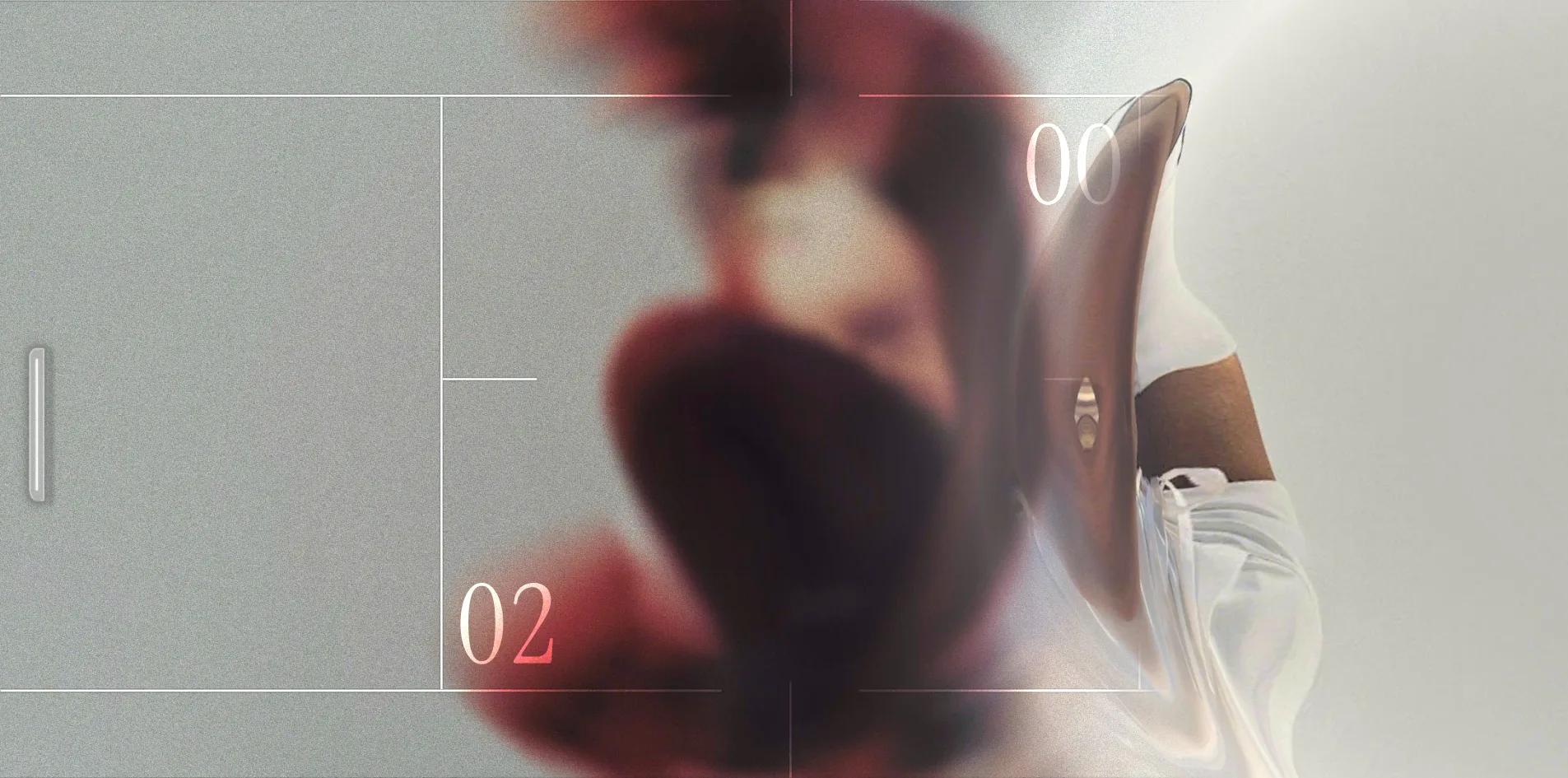
The Tie-break turns a collaboration between the American sportswear brand New Balance and the Italian fashion brand Miu Miu into a match of Pong played on a tennis court. Pong is the 1972 arcade game in which two paddles knock a ball back and forth. Every time the visitor wins or loses a point, a ripple spreads across the screen from where the ball went out and uncovers a campaign photograph from the collection. The blurred patch of colour under the court during a rally is the next photograph waiting to be revealed.
This is a campaign site made by the Paris digital studio Merci-Michel for the two brands and the American tennis player Coco Gauff, and it has won both FWA of the Day and Awwwards Site of the Day.
01Concept
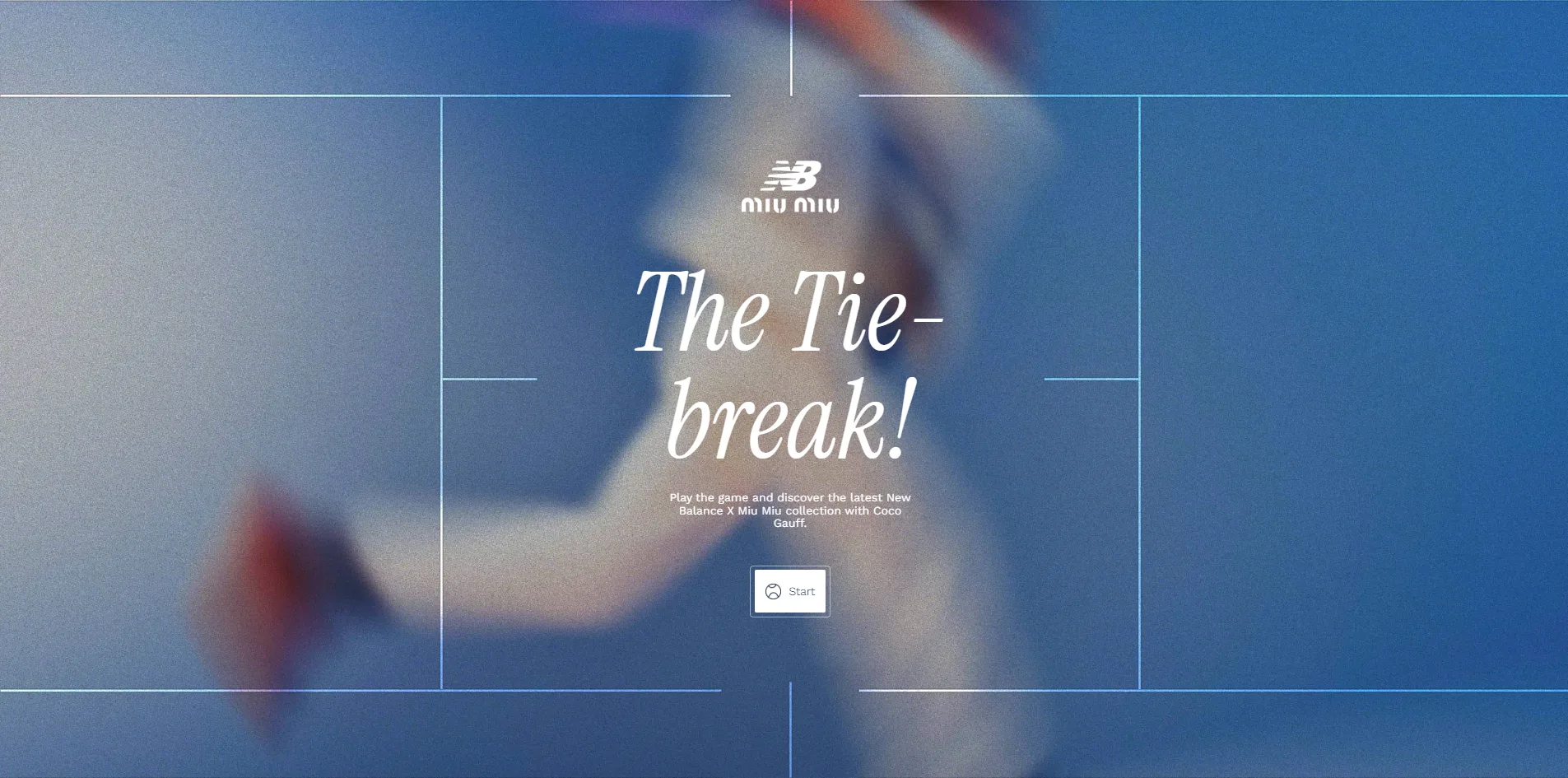
The Tie-break turns a set of campaign photographs into the prize in a match, so the visitor has to finish a point to see the next picture. Instead of sitting in an album that scrolls down the page, the photographs come out one at a time as the score moves on. The small line on the start page spells the idea out, Play the game and discover the latest New Balance X Miu Miu collection with Coco Gauff. The set has 13 photographs in all, and the visitor sees every one of them only if the score reaches 7 to 6. The site also comes in versions for 39 countries and languages, all of which play the same match.
The site takes its name from the tie-break in tennis, the deciding game played when a set reaches six games all, which is won by the first player to reach 7 points with a lead of 2. The Tie-break borrows only the first-to-7 rule, so a score of 7 to 6 is enough to win. After the visitor presses Start, three lines of instructions appear in turn, You vs Opponent, You are about to play the Tie-break and Score 7 points to win. The opponent is a paddle controlled by the computer, and the visitor moves their own paddle with the up and down arrow keys, the W and S keys or by moving the mouse up and down.
The photograph is a prize the visitor gets whether they win or lose the point. Whoever scores, the point ends as soon as a ball goes out, and a photograph is revealed straight away. A visitor who cannot return a single ball still sees 7 photographs, and the match simply ends 0 to 7. The game is therefore not a gate standing in front of the pictures, since playing well or badly affects only how many photographs the visitor sees, not whether they see any.
Since every point brings a photograph, a closer score means a longer match and more photographs, and the opponent's difficulty is designed to keep the score close. The opponent starts at its easiest level, moves up to medium when the visitor leads by 2 points, to hard at a 4-point lead and to a level that almost never misses at a 6-point lead. Whenever the opponent itself is ahead, it stays at the easiest level. On top of that, once both sides have returned the ball 8 times in a single rally, the opponent's aim becomes a little less accurate with every further return, so no rally can go on forever.
The photographs take up about as much of a match as the tennis does. A match that ends 7 to 3 lasts about 4 minutes, of which 131 seconds are actual play, 86 seconds are spent on the revealed photographs and 28 seconds go to the 3, 2, 1 countdown after each one. The visitor spends roughly half the time looking at photographs and waiting for the next ball, so the tennis works more like a thread stringing the pictures together.
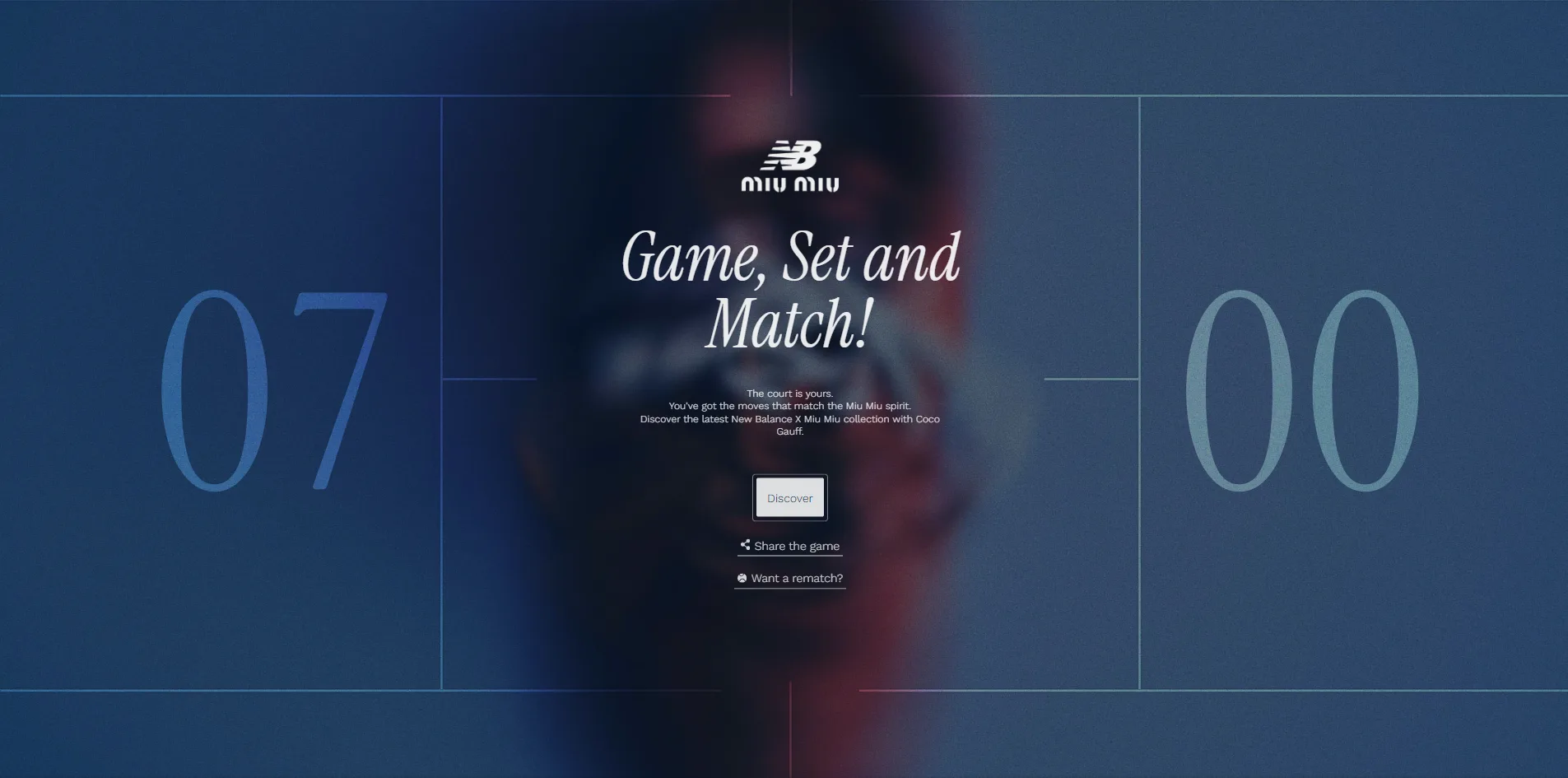
Merci-Michel keeps the way to buy very low-key, with a Discover button only on the pause screen and the results screen that leads to the collection's product page on the Miu Miu website. The results screen changes its line depending on the outcome, reading Game, Set and Match! for a win and Tough Luck, Next Time! for a loss. Below that line sit a share link and a Want a rematch? button.
02Design
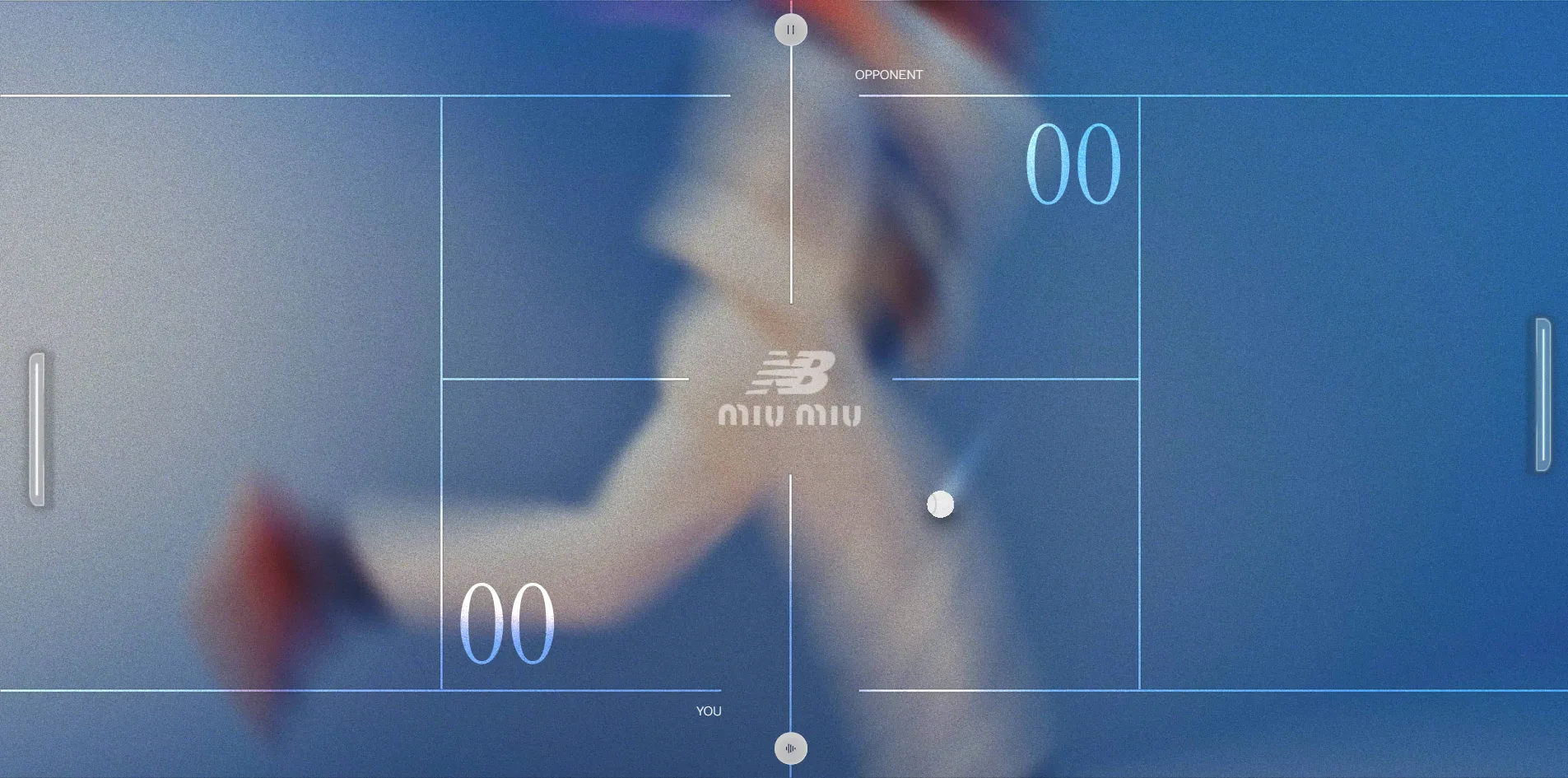
The whole picture in The Tie-break is built from three layers, with a blurred photograph at the bottom, a tennis court drawn in fine white lines in the middle and the ball, paddles and scores on top. The court is seen from directly above and turned on its side, so the net becomes a vertical line down the middle of the screen. That line breaks in the middle to hold the joint New Balance and Miu Miu logo, and two small round buttons for pause and mute are pinned to its top and bottom ends. Each side's score is written as two digits in a service box, with the opponent's 00 at top right and the visitor's 00 at bottom left, each next to a tiny label reading OPPONENT or YOU.
The picture has no fixed colour scheme, because the court lines, the scores and the paddles all take their colour from the photograph underneath. When the code draws the court lines, it combines their white with the colour of the photograph directly below using an overlay blend. Overlay is a layer blending mode familiar from photo editing software, and it makes light areas lighter and dark areas darker. When the photograph leans blue, the whole court and the scores glow pale blue, and where the photograph has a patch of red clothing, the stretch of line over it takes on a touch of red. Each new photograph underneath recolours the court, yet the designers never assigned a colour to any individual photograph.
The two paddles and the ball are made in entirely different ways. The paddles are not 3D models but flat panels, and their rounded corners, outlines, highlights, outer glow and shadow are all calculated by a shader, so they look like two upright glass tubes. A shader is a small program that runs on the graphics card and works out the colour of each pixel, and most of the effects on this site depend on one. The ball is the only 3D model in the whole scene, and a shader prints the New Balance and Miu Miu logos onto its surface and gives the felt and the seam two different shades. On a screen 1920 pixels wide, though, the ball is only about 33 pixels across, so the two logos are barely legible during a rally.
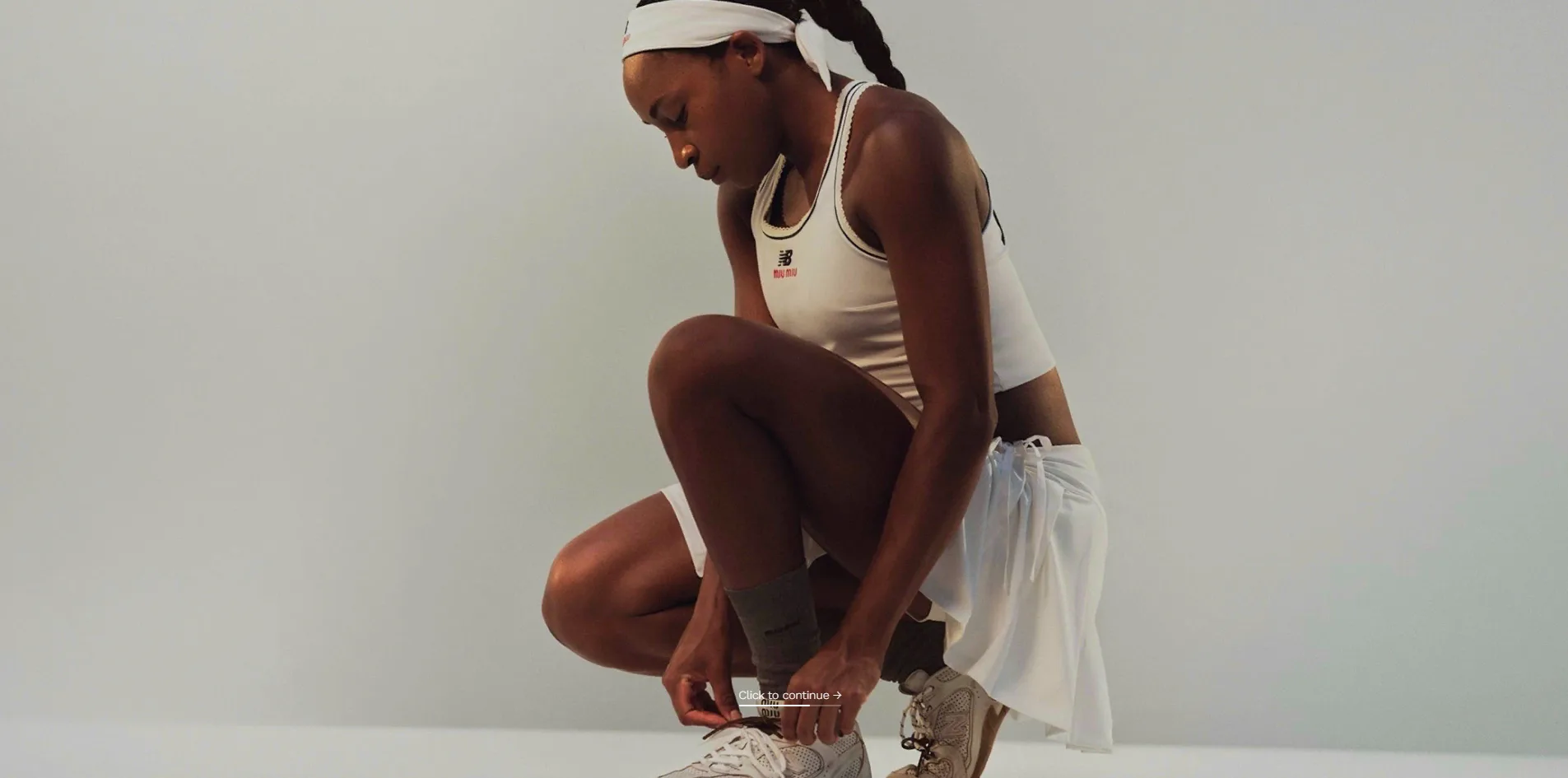
The photographs themselves are a studio shoot, mostly against grey-blue backgrounds, showing Coco Gauff wearing the collection while tying her laces or running, along with trainers shot from directly above. When a photograph is fully revealed, the court, the scores and the paddles all fade away, leaving only the whole photograph and a line at the bottom reading Click to continue, with a thin rule underneath slowly filling up. At that moment the screen looks no different from a spread in a fashion magazine, with the game packed away completely.
The Tie-break sets all of its text in just two typefaces, but their sizes are spread far apart. Titles are set in Instrument Serif italic, with The Tie-break! on the start page standing 131 pixels tall and Game, Set and Match! on the results screen at 81 pixels. All the other descriptions and buttons are in the sans-serif Work Sans at just 12 to 14 pixels, nearly ten times smaller than the start page title. The score digits are also Instrument Serif, but they are not web text, since they are drawn inside the WebGL canvas from an MSDF font atlas. This kind of atlas records how far each pixel is from the edge of a character, so the digits stay crisp at any size. That is why the results screen can blow the two scores up to fill the left and right sides, with the italic title between them.
03Motion
The ripple that reveals each photograph is the site's main effect, and a shader calculates it on a flat panel that covers the whole screen. The ripple starts from the spot on screen where the ball went out, so it spreads from the right when the visitor scores and from the left when the opponent does. The shader uses that spot as the centre and grows three circles at once whose radii differ only slightly, showing the photograph only inside them. The results of the three circles are averaged, so the edge of the reveal is not a single line but a wide band in three shades.
The shader also pushes the photograph outward a little near that band, so it looks as if it were seen through water or curved glass. It does this by adding a sine wave that moves over time near the edge of each circle, which shifts the point where the photograph is read outward, less and less the farther it is from the edge. At the same time the photograph shrinks from three times its size back to normal, and a faint white glow runs around the ring. The whole reveal, from the ball going out to the photograph being fully uncovered, takes less than a second. Including that second, the start page, the rallies, the reveals and the countdowns all hold 60 frames per second, about 16.7 milliseconds a frame. The slowest frame of the whole match comes during a reveal and lasts only 37 milliseconds.
Every point is preceded by a short build-up on screen. At the very start of the match, each line of the court draws itself from one end to the other, the lines appearing in staggered order and finishing in about 2 seconds. After a photograph is revealed, the thin rule at the bottom takes 6 seconds to fill, and when it is full the game moves on to the next point, although the visitor can also click the screen to skip ahead. Before the next point, the numbers 3, 2 and 1 pop up one after another in the middle of the screen, and each one sends a ring of light out from the centre of the net. The reveal and the countdown together take about 11 seconds. When the visitor pauses and then resumes, the game runs through the same countdown first rather than serving the ball straight away.
The small effects during a rally all emphasise the feel of hitting the ball. Every time the ball touches a paddle, a small ripple spreads from the point of contact, the ball squashes briefly and springs back, a fading trail follows it and a soft shadow sits beneath it. With each point the whole picture shakes for 300 milliseconds before the photograph starts to appear. When a score changes, its two digits roll up one notch like an odometer.
04Engineering
Merci-Michel wrote the interface in Vue 3, bundled it with Vite and handed the 3D part to three.js, which is wrapped in a further layer that manages the asset list, the graphics quality and the scenes. All 13 photographs are stored in KTX2 format, a compressed texture that the graphics card can read directly. The browser first converts it with a Basis decoder into a format the card supports, which uses less graphics memory than an ordinary image. All the sound effects are packed into a single audio sprite, a file in which dozens of short sounds are joined end to end and played by cutting out the right stretch of time. A separate ambient track loops in the background alongside these effects.
Each frame of this site has very little to draw, so the load on the graphics card is light. During a rally the code sends only 7 to 11 draw calls per frame, a draw call being the instruction the code sends each time it asks the graphics card to draw something. There are never more than 2,000 triangles, almost all of them in the ball, and every other object in the scene is a flat panel. The blurred background photograph uses the most basic texture material in three.js and involves no blur calculation while running. The blur is built into the image files in advance, with each of the 13 photographs stored once blurred and once sharp.
The site's graphics quality rises and falls automatically with the frame rate. There are six quality levels, and the code first looks up the graphics card model in a table to set a starting level. After the page has run for a few seconds, the level steps up if the frame rate holds at 60 frames per second and steps down if it drops. The browser remembers the level it settles on and reuses it on the next visit. To save work for the graphics card, the canvas renders at no more than 1.6 times the screen's pixel density, or 1.2 times in desktop Safari, and anti-aliasing is switched off.
The browser has to download 7.2 to 7.4 MB on a first visit. Of that, the blurred and sharp versions of the first three photographs take 3.3 to 3.5 MB, the sound effects and ambient track 1.4 MB, and the rest goes to scripts and the image decoders. The remaining photographs load during play, and the code keeps at most 4 of them in memory, releasing older ones. A full match played to 7 to 6 downloads 18.4 MB in total, of which 26 KTX2 files account for 14.5 MB, exactly two versions of each of the 13 photographs.
The heaviest single file in the first download, however, is the colour texture for the tennis ball. The texture is 1024 by 1024 and carries a jpg file extension, but it is actually a 1.6 MB PNG. It makes up more than a fifth of the first download, while the ball is only about 33 pixels wide on screen, too small for a texture 1024 pixels square to show any of its detail.
The first screen appears quickly, with the server returning its first byte in 23 to 80 milliseconds, far below Google's recommended 0.8 seconds, and the browser painting the first content (FCP) in 64 to 207 milliseconds. What the visitor sees first, however, is only a brand logo. The largest piece of content (LCP) is not drawn until 4.9 to 7.2 seconds, past Google's recommended 2.5 seconds. Nothing jumps out of place during loading, with a layout shift score (CLS) of 0. Loading includes only two long tasks, stretches when a script keeps the browser too busy to respond to input, lasting 78 to 151 milliseconds.
Keyboard users can play the game, but screen reader users and people bothered by motion are largely left out. The game was designed for the keyboard in the first place, so the arrow keys and the W and S keys all work, and the pause and mute buttons have names a screen reader can announce. The Start button on the first page, however, shows no change at all when the keyboard selects it, because the stylesheet removes its focus outline entirely, so a keyboard-only visitor cannot tell where the focus is. Screen reader users are hit harder, because the 13 photographs exist only as textures drawn on the canvas and the canvas has no text description. The photographs carry no product names or captions either, so these visitors have no way of knowing there is a campaign shoot here at all. Operating systems offer a reduced motion setting for people who feel unwell when things move on screen. When a visitor turns it on, only one style for the mobile joystick changes, and the photo-revealing ripple and the screen shake on each point play as usual.
Merci-Michel also built an arcade version of the game for two players with support for physical game controllers. The arcade version includes an attract mode that plays itself when nobody is at the controls and a list of player nicknames built from tennis terms and French words. The website does not open this mode, so visitors online can only play alone against the computer-controlled opponent.
05Scores and Team
| Award | Source | Date | Score |
|---|---|---|---|
| FWA of the Day | The FWA | 2026-07-07 | 82 POINTS, DAYS 5 |
| Site of the Day | Awwwards | 2026-09-25 | 7.28 / 10 |
The Tie-break first won FWA of the Day on 7 July with 82 points, and more than two months later it won Awwwards Site of the Day with an overall score of 7.28. Of the four Awwwards categories, Creativity was highest at 7.53, Design at 7.29 and Usability at 7.20 sat in the middle, and Content was lowest at 6.99. The low Content score may reflect the fact that the site offers only photographs, with no product names or descriptions. Sixteen of the nineteen jurors gave overall scores between 6.5 and 7.6, with the highest vote at 9.34 and the lowest at 6.00.
The site received 7.38 from the Awwwards developer jury, a separate panel that judges the technical build. Among the developer categories, Animations stood far above the rest at 9.20, which fits the fact that the photo-revealing ripple is the site's main effect. Semantics and Accessibility both scored only 6.60, and photographs drawn only on the canvas where screen readers cannot reach them are exactly the kind of problem those two categories look at. WPO (web performance optimisation) scored 7.60 and Markup, meaning how the page's code is written, scored 6.80.
| Credit | Profile | Record |
|---|---|---|
| Merci-Michel | Digital interactive studio in Paris | FWA 79 (FOTD 63, FOTM 8, FOTY 1), Awwwards SOTD 44, SOTM 6, SOTY 2, HM 62 |
Both platforms credit only the studio Merci-Michel, with no breakdown of individual roles. On Awwwards, Merci-Michel describes itself as a digital gamification studio, and since 2012 it has won 79 FWA awards, entering the FWA Hall of Fame this year. Among its other projects on the FWA page are two games for the French tennis clothing brand Lacoste, Ace Breaker at 90 points and Polo Factory at 86. Another is A House that we shaped for Miu Miu, which scored 85, and The Tie-break is a further collaboration between Merci-Michel and Miu Miu.
06Archive
- Award date
- 2026-09-25
- Awards
- The FWA FOTD 2026-07-07, Awwwards SOTD 2026-09-25
- Site
- https://thetiebreak.merci-michel.com/
- Credits
- Merci-Michel
- Design
- interface
- Build
- realtime
- Awwwards
- 7.28 / 10, Design 7.29, Usability 7.20, Creativity 7.53, Content 6.99. Developer Award 7.38. https://www.awwwards.com/sites/the-tie-break
- The FWA
- 82 POINTS, DAYS 5. https://thefwa.com/cases/the-tie-break
- Stack
- Vue 3, Vite, three.js r184, KTX2 with Basis transcoding, MSDF glyphs, Web Audio audio sprite, Tealium, Umami
- Total assets
- 7.2 to 7.4 MB on first load, of which photo textures 3.3 to 3.5 MB and the tennis ball texture 1.6 MB. A full match 18.4 MB, of which KTX2 textures 14.5 MB
- Speed
- FCP 64 to 207 ms, LCP 4.9 to 7.2 s, CLS 0. Rallies and reveals at 60 fps