Butter
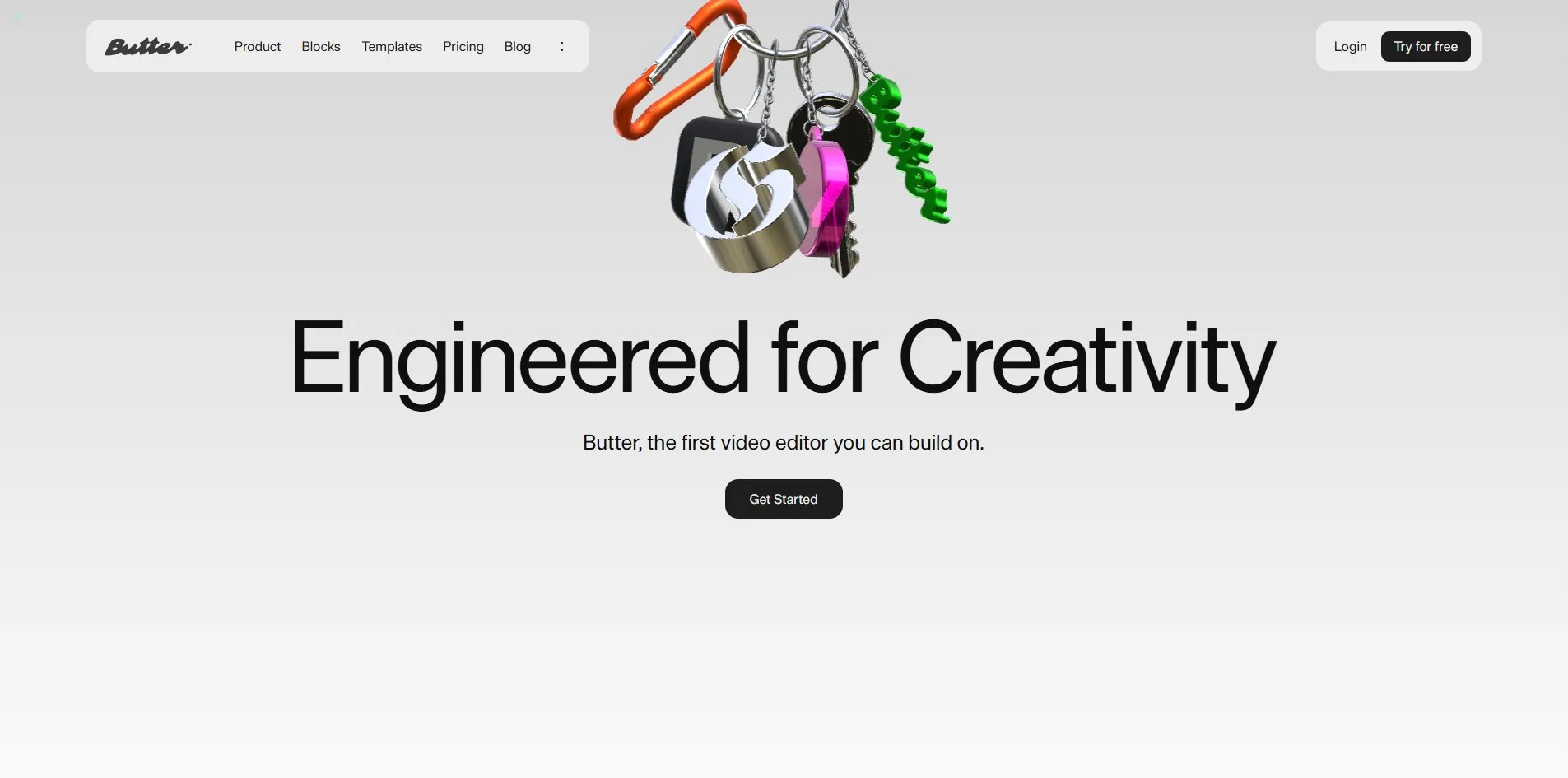
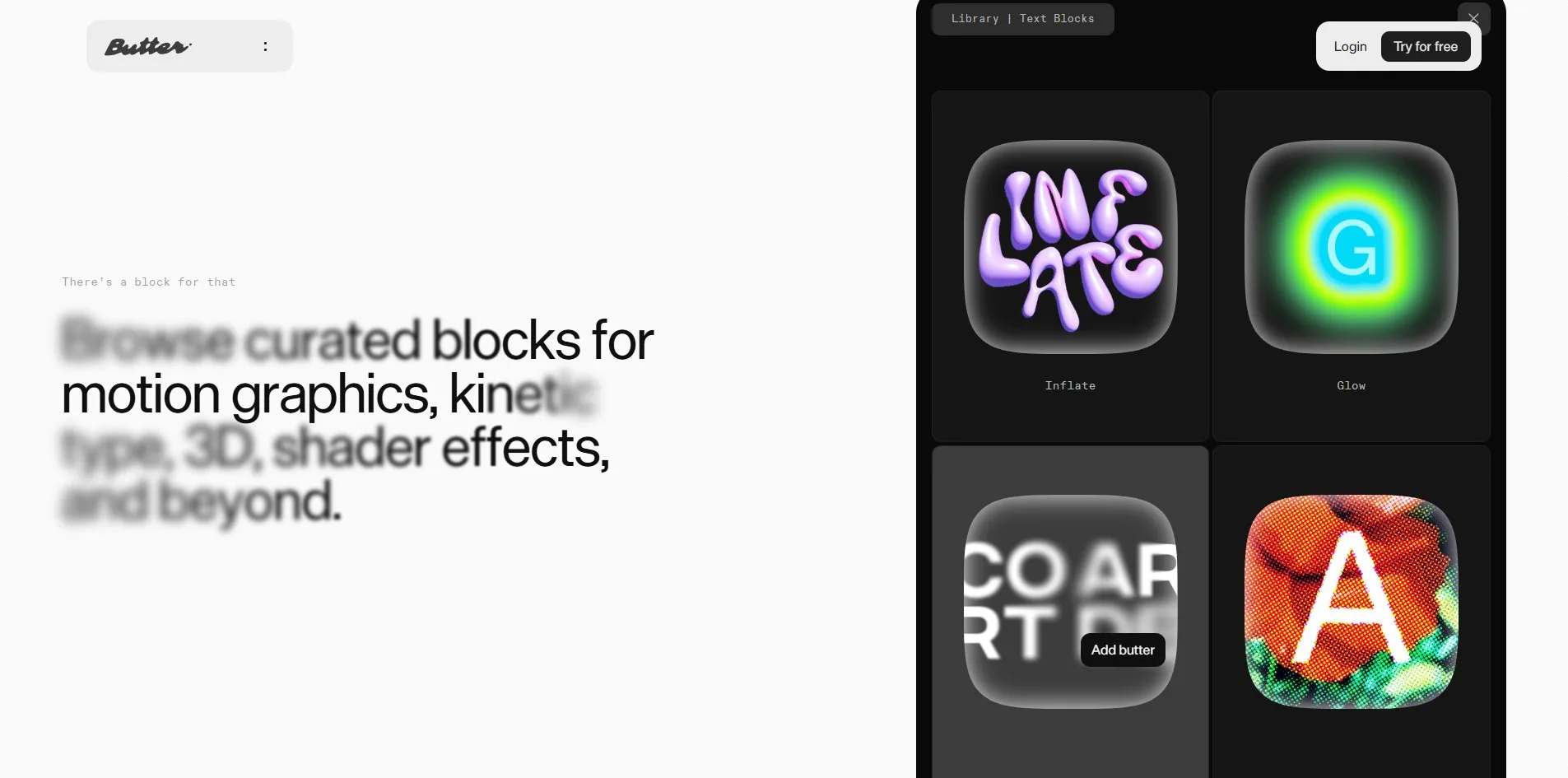
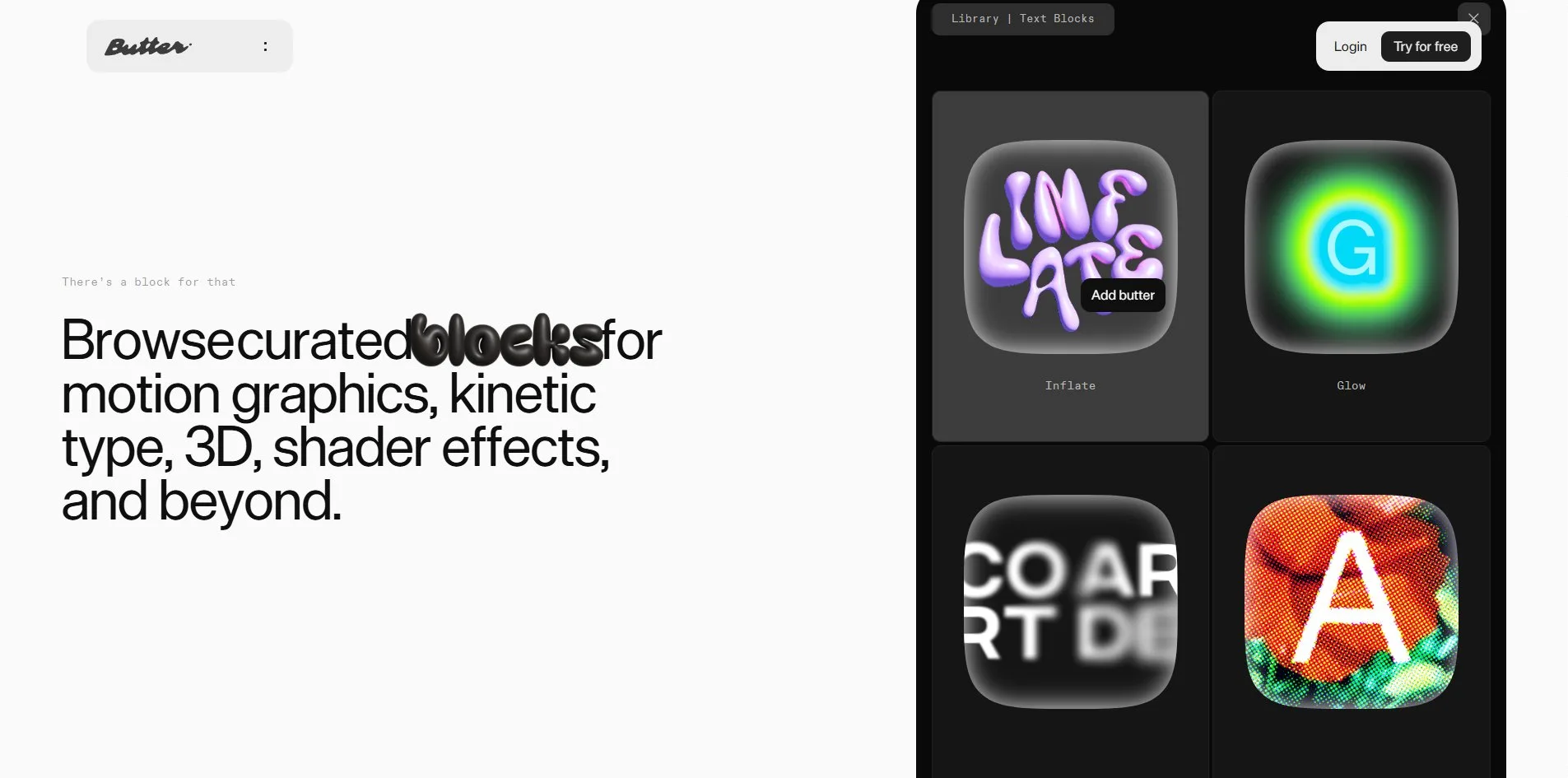
Butter's home page turns its own marketing copy into the product demo. When a visitor rests the pointer on the effect card labelled Inflate, the word blocks in the headline beside it swells into a row of purple balloon letters. On the Glow card the same word lights up with a yellow-green halo. On Focus the whole sentence blurs away except for a few sharp words, and on Halftone it breaks into red, orange and green dots. Those four cards are the thing Butter sells, effect blocks that snap onto a video, and the home page lets visitors try them on a sentence first. One screen above, a keychain with a key, a carabiner and three tags hangs over the headline, and it swings aside and back like a real one when the pointer brushes past.
This is the site of Butter, a video editor that runs in the browser. ToyFight, a studio in Manchester, designed and built it, and it won an Awwwards Site of the Day and a Developer Award.
01Concept
Butter is a video editor that runs in the browser, and its pitch is that it can be extended like a box of bricks, with users applying and reworking other people's effect blocks right on the timeline. The site has to sell that idea to creative teams making marketing content, so instead of the feature list that software sites usually open with, it lays the home page out as one long scroll from slogan to evidence. The first screen holds only the line Engineered for Creativity, the subtitle Butter, the first video editor you can build on, and a Get Started button, with the keychain above the headline as its one decoration.
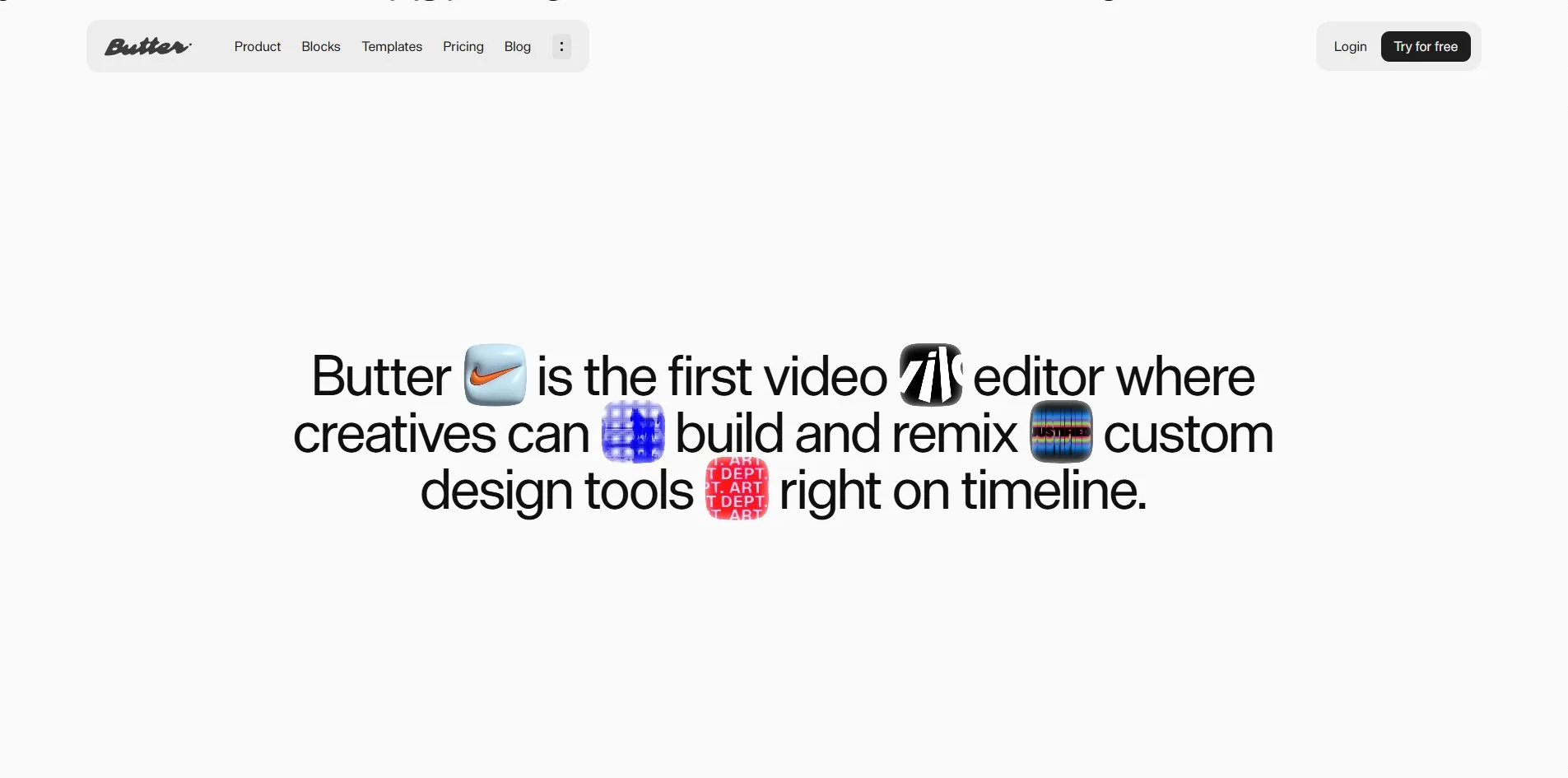
A visitor first waits through a grey interstitial with one small line in the centre, It's a whole new timeline. After about three seconds it fades, the navigation and headline appear in turn, and the keychain is drawn last. Scrolling down, the visitor meets a row of client logos on the second screen, among them Airbnb, Netflix, Canva, Sony Music and SpaceX. Below the logos sits a three-line statement in large type, Butter is the first video editor where creatives can build and remix custom design tools right on timeline. Five small square tiles sit inside that sentence like emoji between the words, four of them short videos, each showing a finished effect.
Below that, six sections take turns explaining one side of the product each. A black effect-library panel lists four text effects, Inflate, Glow, Focus and Halftone, for visitors to try on the headline next to it. One video demonstrates the dials and sliders on an effect block, and a wider one shows the whole editing interface. Four cards, Import, Edit, Enhance and Ship, sum up the workflow from import to export. An accordion headed Create in 3 ways lists Remix, Describe and Code, where Describe shows a sentence being typed to generate a 3D asset and Code shows an effect block being written inside the editor.
The template carousel is the section closest to a purchase. Twelve vertical ad templates run in a strip that drifts left on its own, covering skincare, drinks, software and running gear, and clicking any of them opens a template page whose Create button leads straight into the editor. The home page runs to about seventeen screens with forty-nine short videos, and thirty-five of its sixty-seven links point at the application itself, its login, registration, block library and templates. Pricing lives on its own page, from a free plan to 59 dollars a month and custom enterprise deals above that.
02Design
Butter's page has almost no colour of its own, and it leaves all of the colour to the things it shows. The whole page sits on a near-white grey, the footer and the template band shift to a slightly darker grey, and the text is a near-black grey, with not one saturated word or colour block anywhere on the page. Screenshots and videos of the product are all black panels, and only the effect demos, the template videos and the keychain are in colour. Against the grey-white page the purple balloon letters, the yellow-green glow, the pink disc and the orange carabiner stand out sharply.
The site uses almost one typeface, a grotesque sans called DieGrotesk, and only one weight of it. Hierarchy comes from size alone, 119 pixels for the hero headline, 67 for the statement, 48 for section headings and 16 to 18 for body text. Every heading is a sentence in normal case, with no capitals anywhere. The second typeface, ABCDiatype, appears only on 14-pixel labels such as the footer column names and the small eyebrow lines above sections.
The layout is the centred-plus-two-column arrangement that product sites usually use. The hero, the statement and the template band are centred, feature sections put text on one side and a demo on the other, and the black interface panels carry an 11-pixel radius. The navigation is compressed into a white pill floating in the upper left, holding the wordmark and five links, with a second pill in the upper right for Login and Try for free.
The imagery on the site falls into two kinds, the product and the work made with it. One is the product itself, timelines, asset panels and effect cards inside a dark interface. The other is the effects and clients' finished work, vertical ads for skincare, soda, running gear and software companies. The five charms on the keychain are among the few things on the site made purely to look good. A black square tag set with a silver Gothic G, a pink disc, a chrome key, an orange carabiner and a green script Butter tag hang together like a set of brand merchandise.
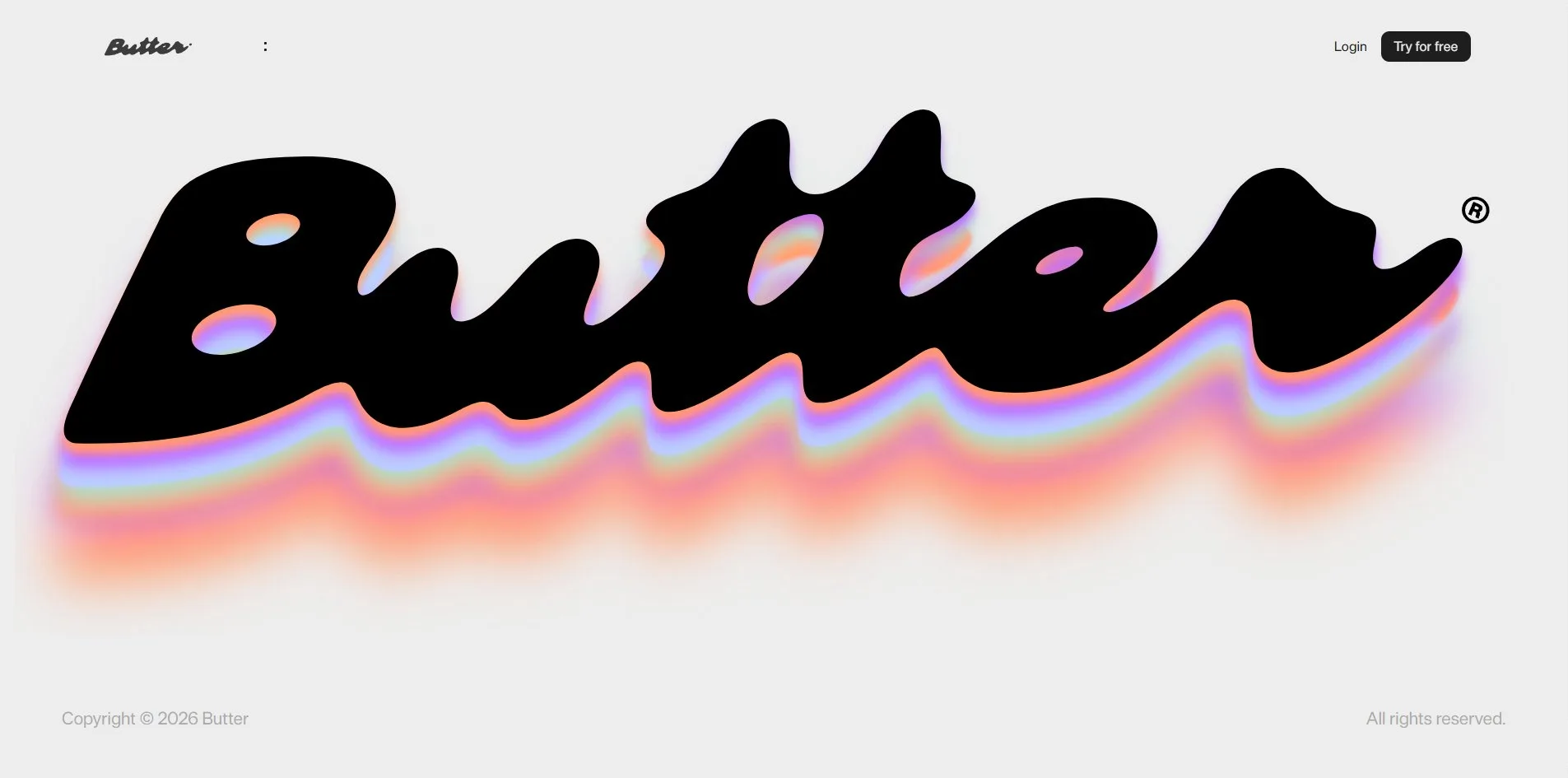
Butter's footer is the most relaxed screen on the site. A black script Butter wordmark the full width of the page lies on the light grey ground. Beneath the letters it trails a rainbow shadow that runs from pink-violet to cyan, as if the site had applied one of its own effect blocks to itself.
03Motion
The keychain is the one piece of motion on the home page driven by a physics simulation. The carabiner, the key, the three tags and twenty-seven chain links are each a rigid body, joined into one chain by the physics engine Rapier, and the pointer moving across this screen acts like a hand pushing them. When the cursor brushes past, the charms are shoved aside and swing back, the swinging lasts a little over a second, and they take three or four seconds to settle completely. That hand only pushes and never grabs, so holding the button and dragging does nothing that moving does not, and scrolling the page does not set the chain swinging either. Once a visitor scrolls past the first screen the canvas is removed entirely, and it comes back when they scroll up again.
The three-second opening is the only stretch where the site makes a visitor wait. The grey interstitial holds for two and a half seconds and fades out in half a second. The navigation and the headline each fade in over half a second, and the keychain starts drawing half a second after the interstitial is gone. The headline arrives word by word, each word rising from 28 pixels below while turning from transparent to solid, with under a tenth of a second between neighbours. Every heading on the page uses the same entrance, triggered when it scrolls into view.
The smooth-scroll library Lenis takes over the wheel, turning each notch into 600 pixels and letting the page glide to a stop over about a second. A continuous scroll down the whole page averages 56 frames per second, and the slowest stretch is in the middle, where two 2048-pixel-wide product videos enter the viewport one after another and the rate drops to 44 to 52.
The effect-library panel is the interaction most worth trying on the home page. When the pointer rests on any of the four cards, the headline to the left takes on that card's effect, and a small black label reading Add butter appears beside the cursor. Inflate swaps the six letters of blocks for swollen purple balloon letters and pushes the neighbouring words apart. Glow adds a yellow-green halo to the word. Focus blurs the whole sentence except for a few words, like a camera racking focus. Halftone turns the sentence into red, orange and green dots. All four effects are prepared images and styles rather than anything rendered live.
The template carousel drifts left on its own at about 100 pixels a second, with the twelve templates duplicated into a loop. When a visitor holds and drags, the strip follows the hand one to one, and after release it coasts a short way before stopping. It is also the hardest-working screen on the page. With the page parked here the frame rate falls to 30 to 35. Each of the twenty-four videos carries rounded corners and a filter, every step of the strip recomposites all of them, and hiding the videos sends the rate straight back to 60. The Create in 3 ways accordion opens one item at a time, and the demo media on the left changes with it.
Pressing the three dots at the right end of the navigation pill expands it into a light grey panel listing four destinations and the social links. That panel answers only to its own button, and neither Escape nor a click outside it closes it. With the operating system's reduced motion setting on, the interstitial and the word-by-word entrances are dropped, while the keychain swings, the videos autoplay and the template carousel drifts exactly as before.
04Engineering
ToyFight built the site with Next.js on the Prismic content backend, with React Three Fiber and its companion library drei for the 3D, Rapier for the physics, Lenis for scrolling and Cloudinary hosting every video.
Butter downloads 5.2 MB on a first visit, of which scripts are 3.7 MB. About 1.4 MB of those scripts are not the site's own code but Google Tag Manager, the Meta pixel, Bing, Twitter, Clarity, customer.io and the cookie banner component. The four keychain models add up to 834 KB, plus an 87 KB Draco decoder and a 116 KB environment photograph. The physics engine's bundle, 785 KB compressed, is the single largest file. Watching the whole page adds roughly 10 MB more, all of it video, twenty-five clips totalling 9.7 MB with the largest at 1.4 MB.
The first text arrives quickly, and the waiting happens elsewhere. The server returns its first byte in 130 milliseconds, and first contentful paint (FCP) lands at 0.4 seconds against Google's guideline of 1.8. Largest contentful paint (LCP), which here is the headline itself, lands at the same 0.4 seconds against a guideline of 2.5, and layout shift is close to zero. The main thread is squeezed after the three-second interstitial instead. While the 3D scene initialises there are two long tasks of 500 and 845 milliseconds, and the page is unresponsive for about two seconds, which the interstitial happens to cover.
The keychain is cheap to draw each frame. The scene has 22 meshes, about 29,000 triangles per frame once the twenty-seven instanced chain links are counted, drawn twice, once into the transmission buffer the pink disc needs and once to the screen, for 44 draw calls in total. There are no shadows, and the light comes from one directional light and a 1024 by 512 pixel photograph of a city used as the environment map. The site's own performance panel reports 3.4 milliseconds of GPU and 13.5 milliseconds of CPU per frame. That panel is a debugging tool that was never removed, switched on by a 10-pixel, almost transparent cyan dot in the top left corner, and a second debugging control-panel library is still in the script bundle as well.
The cookie banner says measurement and marketing need the visitor's consent, but the requests do not wait for it. Within two seconds of the page opening, the Meta, Twitter, Bing and Google Ads pixels and Clarity's session recording have all sent their first data. Seven third-party cookies are already in the browser before the visitor has touched the banner. Those cookies stay after a click on Reject all, and LinkedIn's tracker adds two more.
The basics for keyboard and screen reader users are all present. The page has a skip link to the content, four landmarks and one top-level heading, and all seventy-seven clickable controls are named. Content images carry alternative text, decorative letter images leave it empty, and the keyboard focus is a 1-pixel dark grey ring. The accessibility problems all gather around the navigation pill. Tabbing down the page, stops nine to sixteen land inside the unopened dropdown panel, which is transparent and ignores the mouse, so keyboard users pause eight times on eight links they cannot see. Once the panel is open there is no keyboard way to close it. The forty-nine videos have no controls and no descriptions, and all of them are decorative. The stylesheets contain no reduced motion rules at all, and the setting is used only by script to skip the interstitial and the entrances.
05Scores and Team
| Award | Source | Date | Score |
|---|---|---|---|
| Site of the Day | Awwwards | 2026-09-28 | 7.5. Design 7.38 / Usability 7.56 / Creativity 7.56 / Content 7.69 |
| Developer Award | Awwwards | 2026-09-28 | 7.22. Semantics 7.00 / Animations 8.20 / Accessibility 6.60 / WPO 7.20 / Markup 7.00 |
Among the four categories Content is the highest at 7.69 and Design the lowest at 7.38. The nineteen jurors' overall marks run from 6.4 to 8.8, with most between 7 and 8. The high Content mark matches what the site does, turning a product that is hard to explain into a page of demos a visitor can try. Design is the lowest of the four because the visual language is not new. The light grey ground, black interface panels, centred large type and pill navigation are the set that software product sites have worn in, and Butter executes it cleanly but recognisably. In the 7.22 Developer Award, Animations is the highest item at 8.2 and Accessibility the lowest at 6.6, which lines up with the keyboard landing in an invisible menu.
| Credit | Who | Record |
|---|---|---|
| ToyFight | A creative studio in Manchester, England, describing itself as a playful creative studio, working in web development, UX/UI and interactive | Awwwards 26 works, SOTD 18, HM 26. FWA 4, all between 2016 and 2019 |
ToyFight is a regular on Awwwards, and eighteen Sites of the Day put it high among studios. Its four FWA awards are clustered between 2016 and 2019, and its later work has gone to Awwwards instead. Butter carries only ToyFight's name on Awwwards, with no individuals listed.
06Archive
- Award date
- 2026-09-28
- Awards
- Awwwards SOTD 2026-09-28, Awwwards DEV 2026-09-28
- Site
- https://www.butter.video/
- Credits
- ToyFight
- Design
- graphic
- Build
- realtime
- Awwwards
- 7.5 / 10. Design 7.38 / Usability 7.56 / Creativity 7.56 / Content 7.69. Developer Award 7.22. https://www.awwwards.com/sites/butter
- Stack
- Next.js, React, styled-components, Prismic, React Three Fiber, drei, Rapier, Lenis, GSAP, Cloudinary
- Total assets
- 5.2 MB on first load, of which scripts 3.7 MB. About 15.9 MB for the whole page, of which video about 9.7 MB
- Speed
- FCP 392 to 400 ms, LCP 392 to 400 ms, CLS 0.001. Continuous scroll 56 fps