Sleep Well Creative
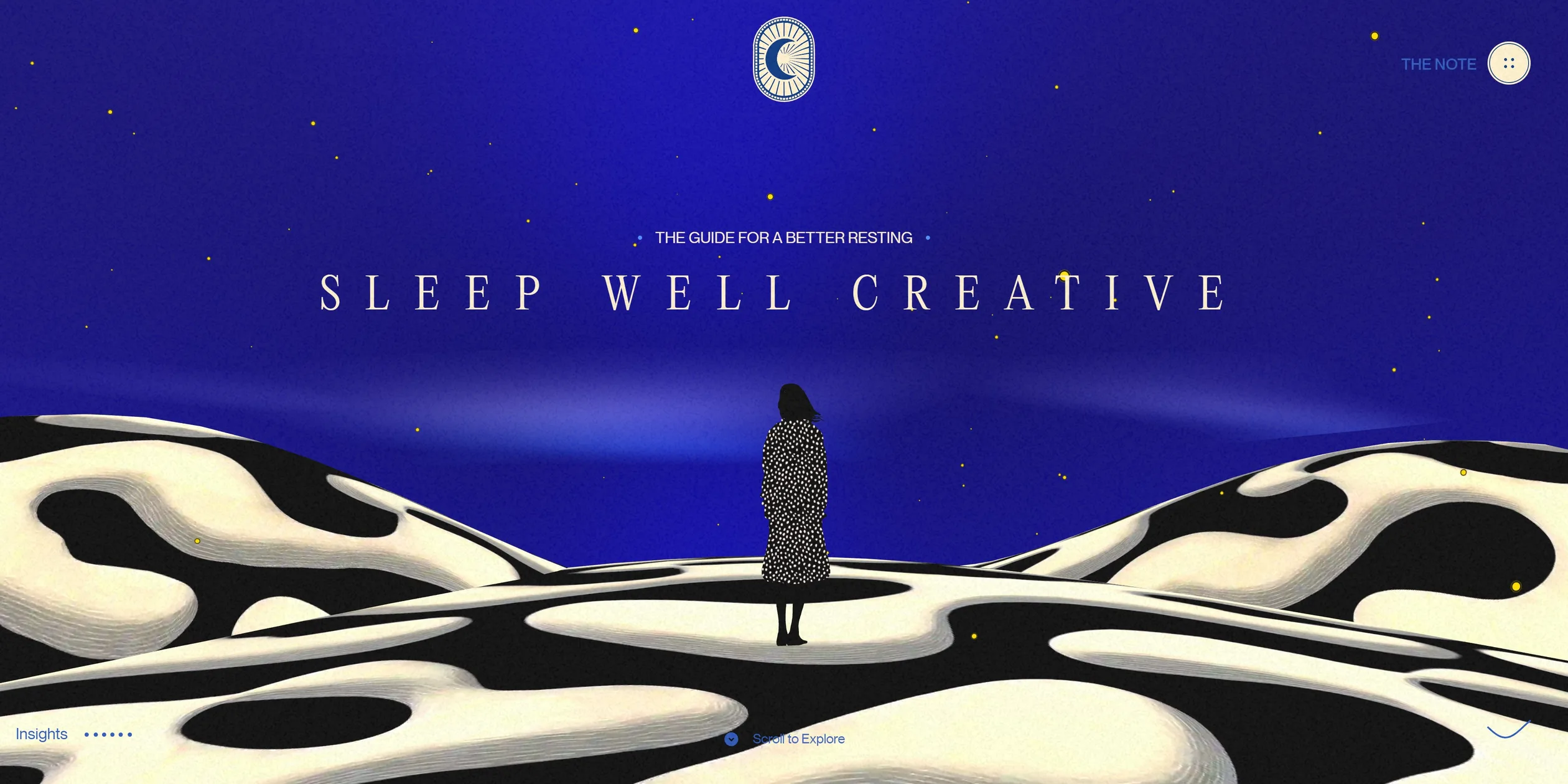
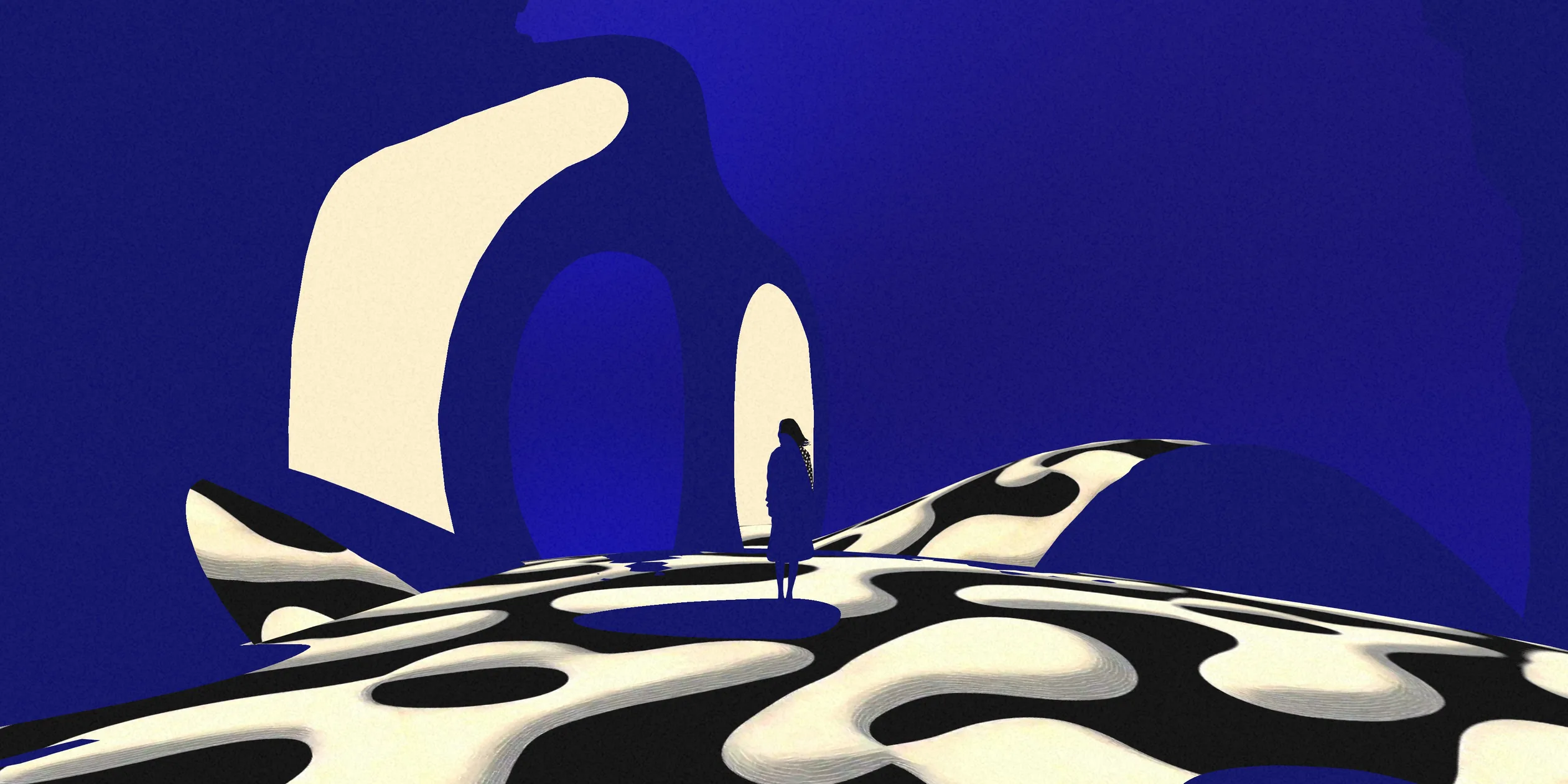
Sleep Well Creative is a sleep guide for creative people, made by the designer Victor Costa, and it turns the science of sleep into a 3D picture book that the visitor reads by scrolling. The story opens on a woman seen from behind on spotted dunes. As the visitor scrolls, it passes a tunnel full of flying pills, a long row of coffee cans, a hand holding a phone and a bedside lamp, and each scene acts out one habit that ruins sleep. The scenes use the same cream and ultramarine as the text on the page, and the models carry outlines and hand-painted spots, so the 3D scenes and the text read like illustrations in one book.
Victor Costa designed and built the site and made its 3D assets alone. It began as an entry to a community challenge run by Webflow and Contra, where it took third place. It then won Awwwards Site of the Day and the Developer Award, and FWA of the Day.
01Concept
Victor Costa wrote a short letter inside the site saying that it is not a product but a personal experiment and a piece of creative research. The letter reminds designers and developers that creativity comes from rest, not from coffee and late nights. The footer says the site is an entry to the Webflow and Contra community challenge. The challenge took submissions from 22 October to 3 November 2025 and only asked entrants to design and build a standout website in Webflow, so the subject was up to each entrant. In the project post on Contra, Victor Costa writes that the idea came from too many nights debugging at 3 a.m., and that the goal was to make the information feel like a journey rather than a lecture.
A visitor who opens the site first sees a cream loading screen with an oval logo holding a crescent moon. When loading finishes, the word Loading under the logo changes to Enter Site, and the story starts only after the visitor clicks it. The main text runs in six numbered chapters: sleep as maintenance for the brain, the rhythm of the heart, the daily schedule, the balance between movement and rest, the blue light of screens and the stages of sleep. Full-screen 3D scenes sit between the chapters, and each one acts out a concrete bad habit, such as pills, coffee or scrolling a phone in bed. The whole site holds about 1,050 words, and on a desktop it is about 53 screens long.
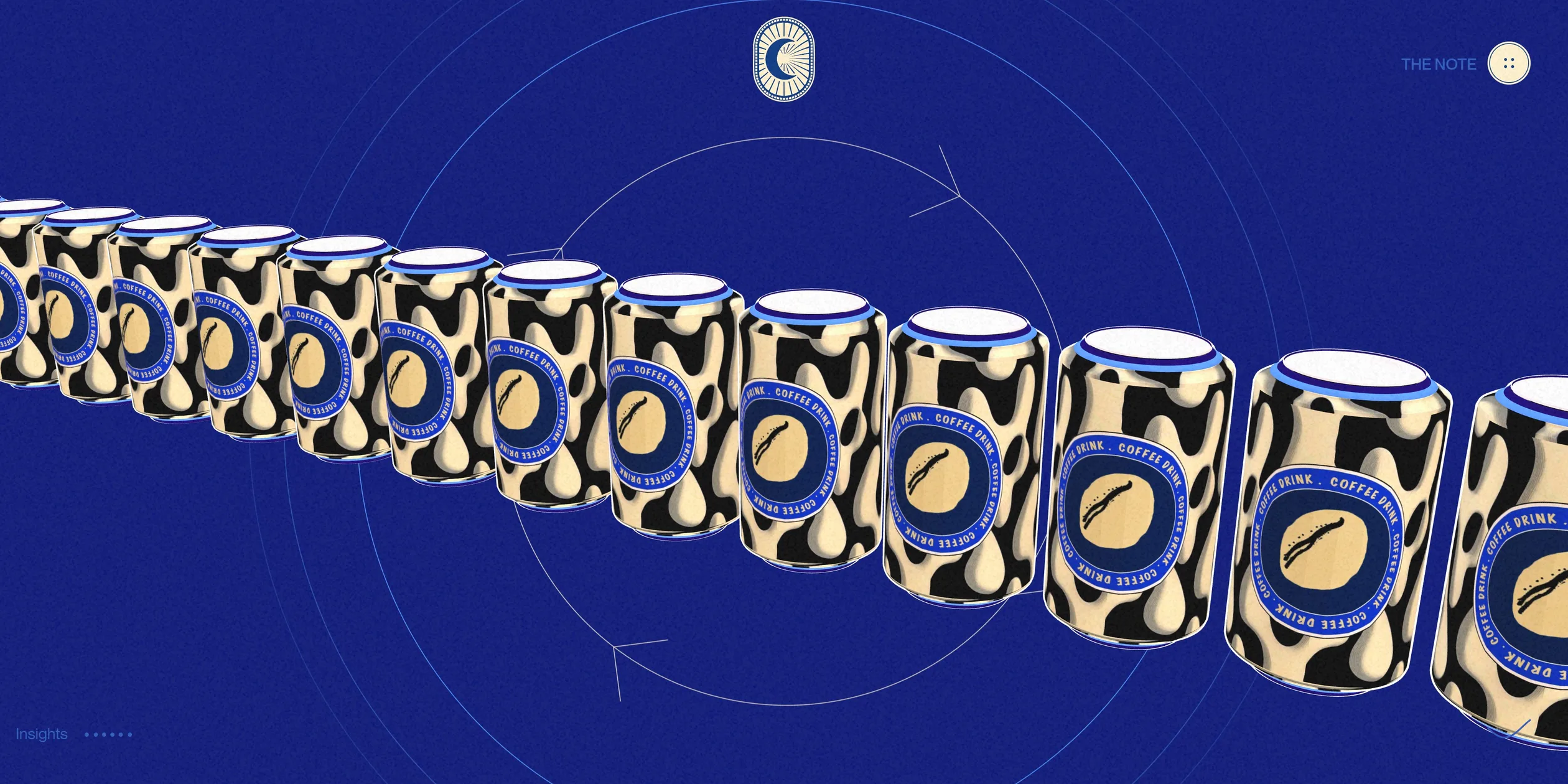
The chapters and the scenes are arranged so that every argument gets a picture. Each chapter first makes its point on a navy or cream page with a large title and two short blocks of text, and the 3D scene that follows acts the point out. After the chapter on sleep as maintenance comes a tunnel with pills flying at the camera, after the heart comes a woman standing in a spotted room, and after movement comes a long row of coffee cans. The longest part of the story is saved for the solutions. On a desktop, How to redesign for a better sleep takes about three tenths of the page. A white line draws itself across a starry sky there, and six tips appear along it, from a fixed bedtime ritual and dimmer lights to a quiet buffer before sleep, each with a short looping video. After this part the background brightens to light blue under the title Now it's time to apply, and the footer holds a book that slowly opens. The Learn creative animation button in the footer and the moon logo at the top centre both link to a web animation course run by VW Lab, Victor Costa's own teaching brand. The footer also says the experience was crafted with animations from VW Lab, and the course page links back to this site, so the site doubles as a sample of what the course teaches.
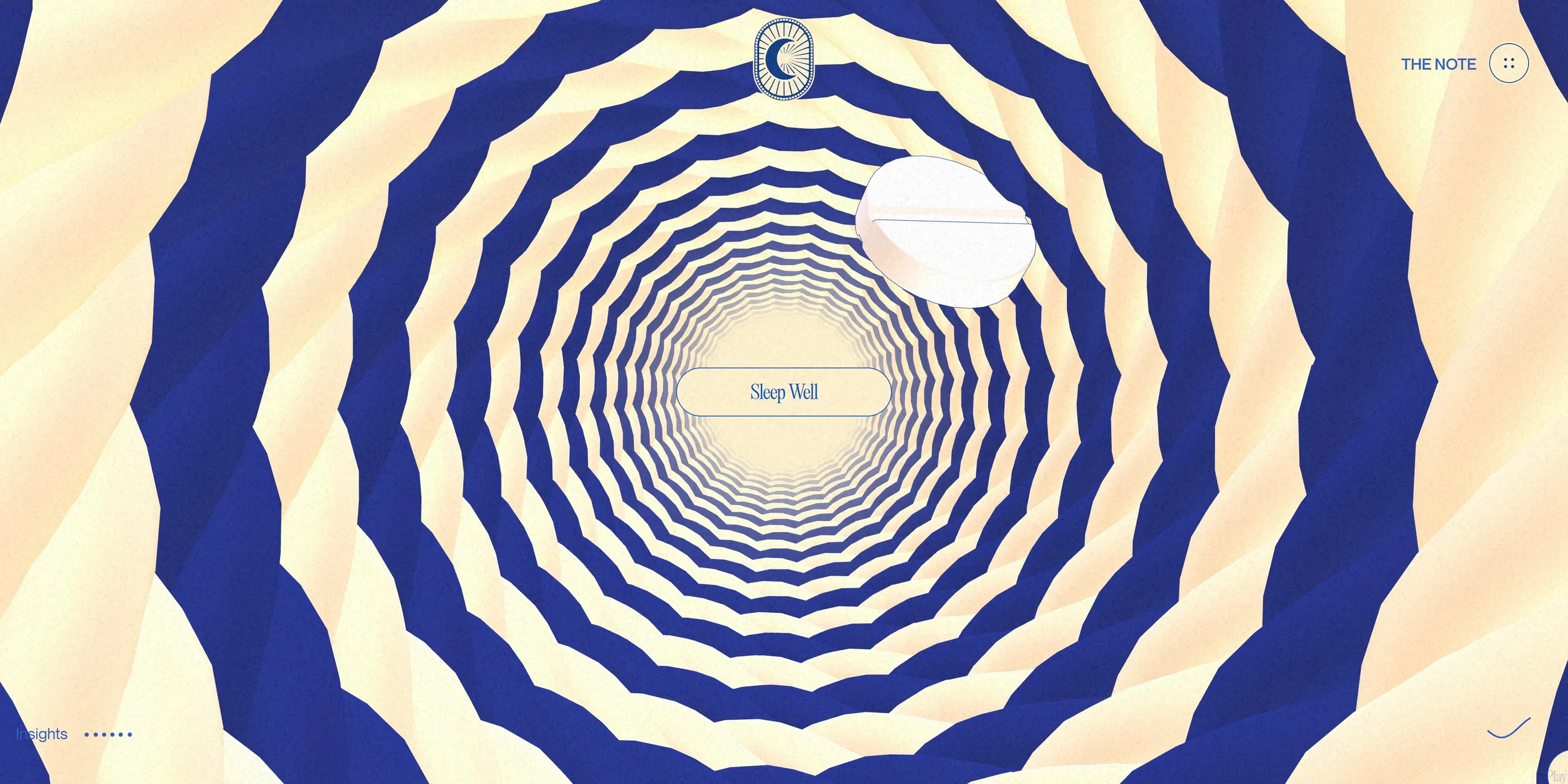
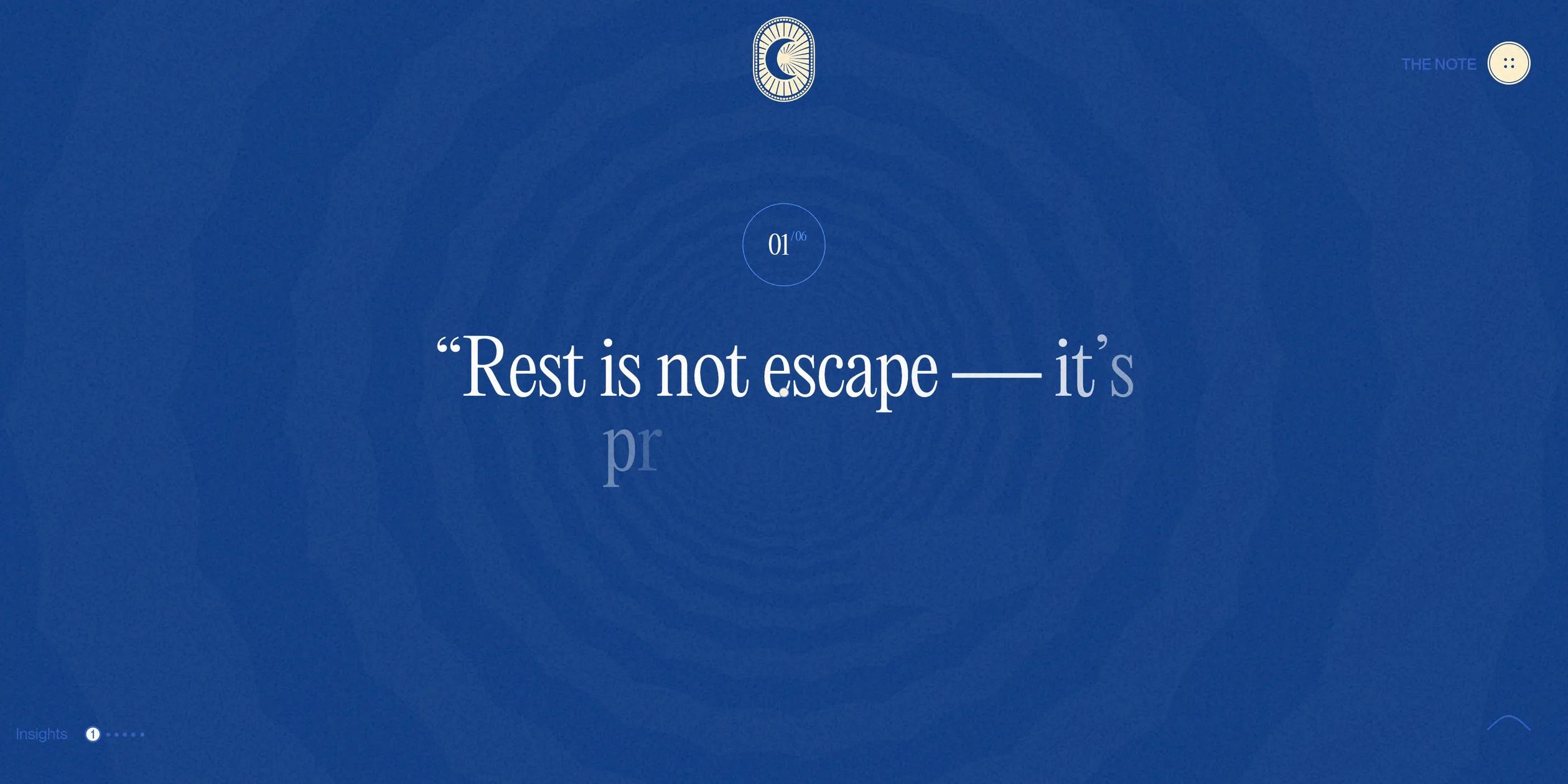
Alongside the story, the site runs a small hunt for hidden insights. The bottom left corner reads Insights next to six small dots. Six scenes or diagrams can be clicked, such as the label in the middle of the tunnel and the clock drawn as twenty-four hours. When the visitor clicks one, a translucent blue layer covers the picture and a sentence such as Rest is not escape, it's preparation appears letter by letter while a voice reads it aloud. The matching dot in the corner lights up at the same time. THE NOTE at the top right opens the letter mentioned above, next to a video of Victor Costa speaking to the camera.
02Design
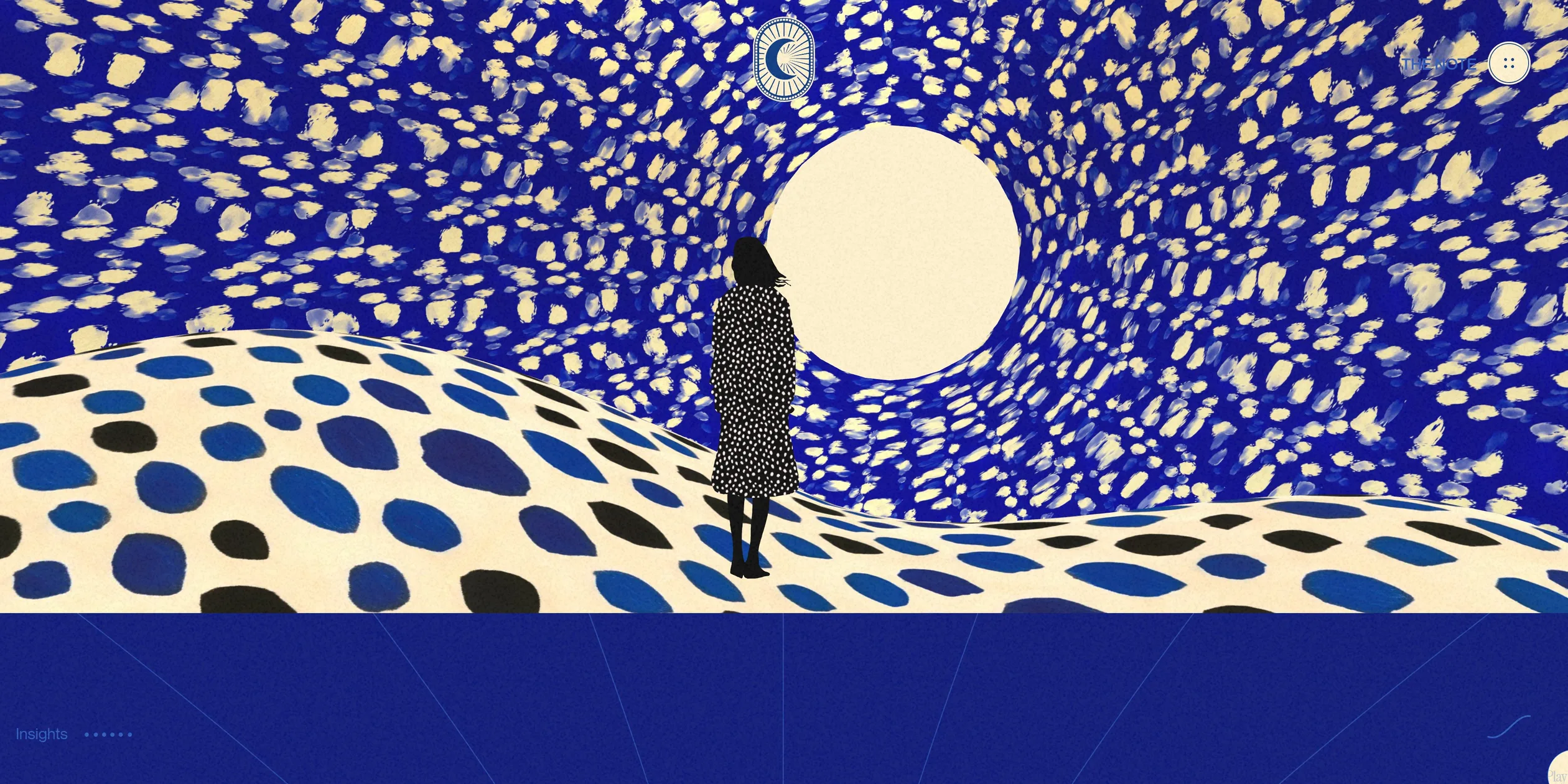
Two main colours take turns across the site, like a book printed mostly in two inks. The chapters that make an argument sit on deep navy (#010D6E) or cream (#FEF1D0). Text on cream is ultramarine (#0042AF), and text on navy is cream. The background flips at every change of topic, so the visitor feels the story turn a page before reading the title. The only other background is the light blue (#4589F7) of the section about putting the tips into practice, the brightest colour on the page. Yellow appears mainly inside the 3D pictures, in the lamp's light and the points of starlight in the sky. A paper texture at ten percent opacity lies over everything, with the text and the 3D scenes both underneath it, so even the 3D scenes carry the grain of a printed page.
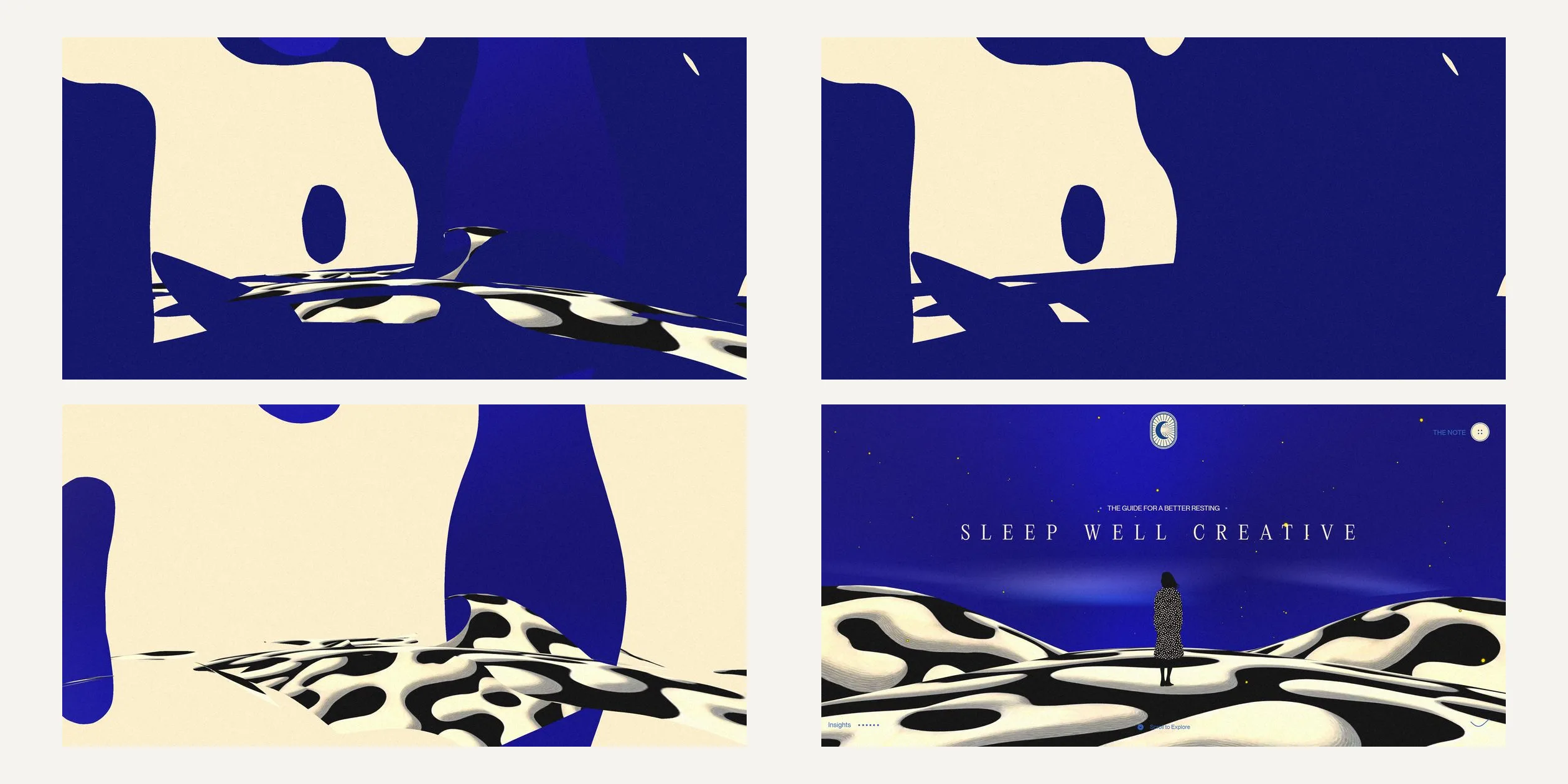
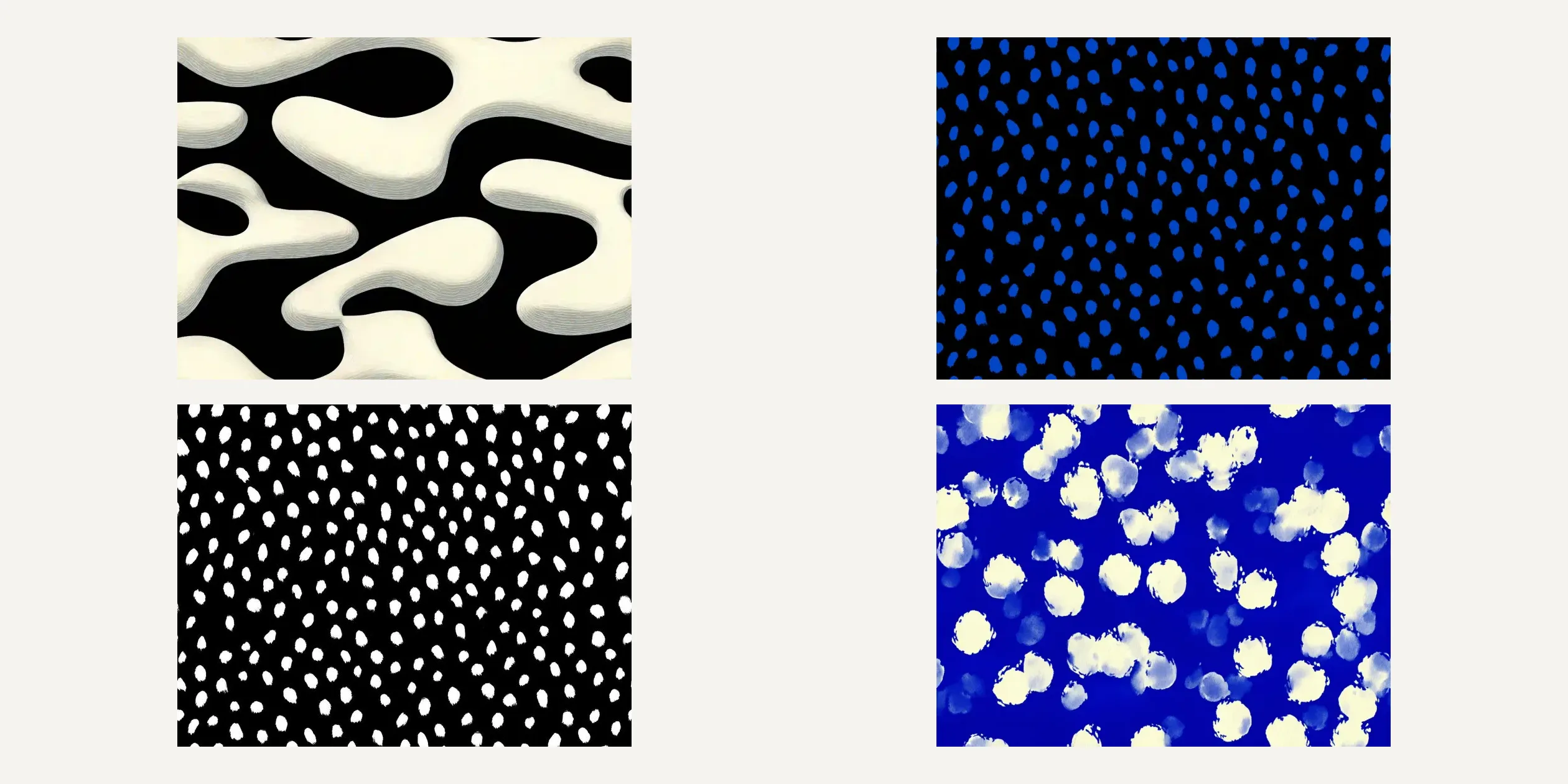
The most distinctive decision on the site is to make the 3D scenes look like flat illustration. The objects have no realistic light and shade, and their surfaces carry hand-painted patterns, such as the softly raised black and cream blobs on the dunes, the white dots on the woman's coat and the dense blue dots on a wall. Every object has a thin line around its edge, like the ink line in an illustration, and the line changes colour by object between cream, white and dark blue. The scenes use the same two main colours as the page, so when a 3D scene appears between two blocks of text, it looks like a full-page plate in a book.
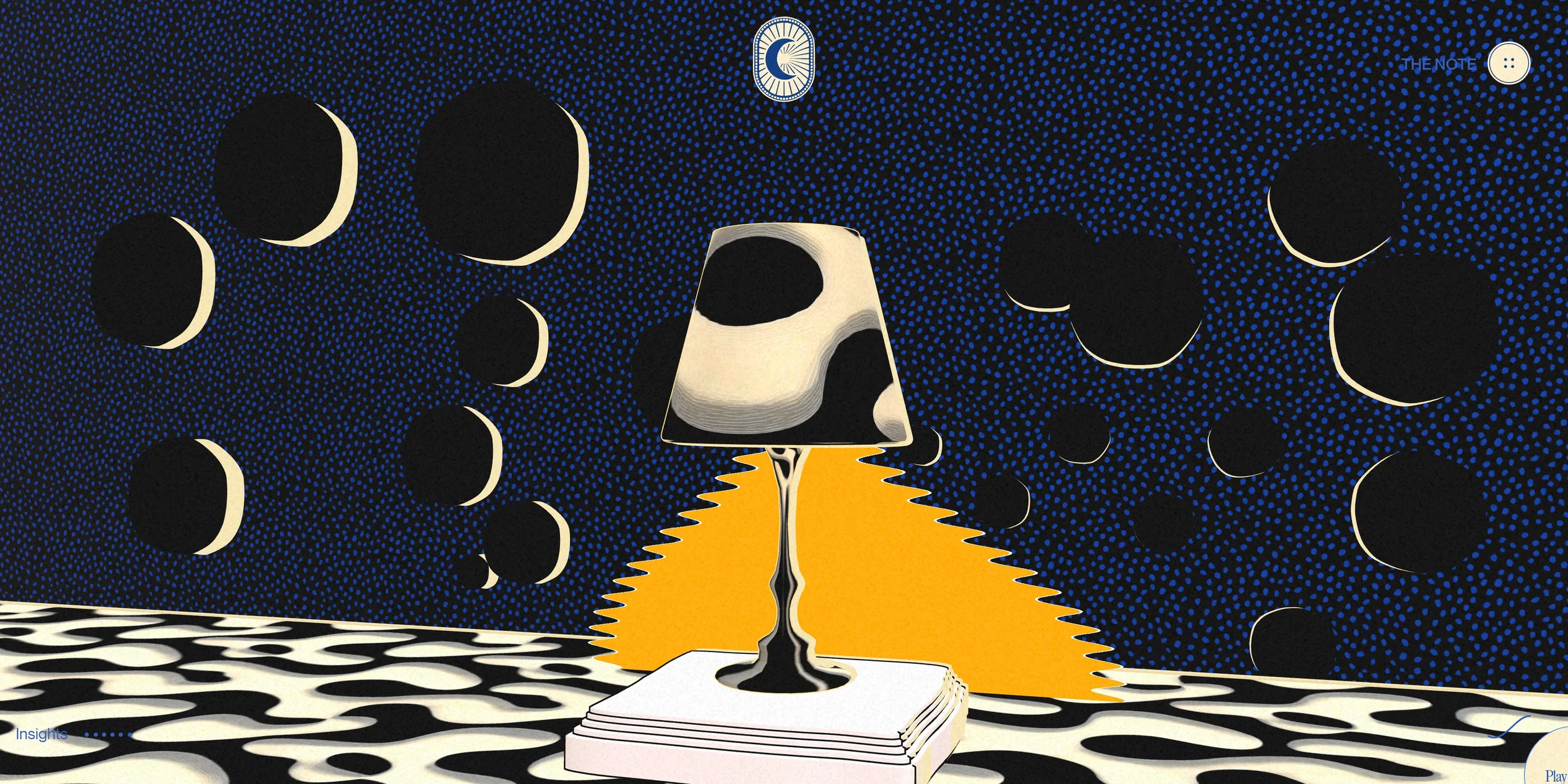
The lamp scene is the most complete picture of this art direction. A lamp with a black and cream spotted shade stands on a stack of books and throws a patch of bright yellow light with a jagged edge. Behind it is a dark wall covered in small blue dots, with black spheres rimmed by cream crescents, and the floor is black and cream blobs again. In this scene the yellow appears only in the light, and the dark wall and black spheres make it look brighter, so the picture already says what the chapter is about, which is turning the light down.
The type is split into two roles. Titles, quotes and the large opening words use the light weight of PP Editorial New, a serif typeface with small finishing strokes at the ends of its letters. SLEEP WELL CREATIVE on the opening screen spreads its letters by more than half their size, so it reads slowly, like the cover of a book. Body text and labels use the sans serif Neue Montreal, and the small labels use its medium weight in capitals, such as THE SECRET IS RHYTHM in one of the chapters. Most of the text on the site is Neue Montreal body copy, and the serif carries only the few lines meant to be read slowly. On a 1920 pixel wide screen a chapter title is about 87 pixels, body text is 24 pixels, and the title is about three and a half times the body. Quotes and lead lines sit between 40 and 50 pixels, and the small labels are about 19 pixels. The whole layout scales in proportion to the screen width, so the ratio between titles and body stays the same on desktop screens of any width, and the page behaves like a drawing that grows and shrinks with the window.
The diagrams in the chapters are drawn in thin lines and do a different job from the 3D scenes. Each chapter opens with a small numbered ring, from 01 to 06, and the title comes with a drawing in thin ultramarine lines, such as a heartbeat line, a pendulum, a stack of discs and four small circles that form the sleep cycle. The chapter on the daily schedule arranges twenty-four words in a large oval, one word for each hour of the day. The first eight are all SLEEP, and WORK, EAT, EXERCISE, STUDY and REST follow, so the ring of words is itself a timetable. When the cursor moves onto a word, the word changes to the hour it stands for, such as 03:00.
The site has very few interface parts, and they all stay at the edges of the screen. The moon logo sits at the top centre, THE NOTE and a round button with four small dots sit at the top right, and a wavy line at the bottom right stands for sound, flattening into a straight line when the visitor mutes it. The six dots at the bottom left count the insights the visitor has found. The site's own cursor is a small dot, and over an area that holds an insight it turns into a capsule that reads Play insight.
Phones get every chapter and every 3D scene, and only the layout changes to a single column. Each 3D scene is reframed to fit upright on the narrow screen, and the woman on the opening screen still stands in the middle of the dunes. The text that sat in two side columns in the chapters stacks vertically, and titles and body text shrink in proportion. The letter behind THE NOTE puts the video above the text on a phone. The site's own cursor does not appear on phones and tablets, and the insights and buttons respond to taps.
03Motion
The opening is the first signature move. After the visitor clicks Enter Site, the cream loading screen grows slightly and fades out in under a second. Dark blue shapes then grow outward from the centre of the frame with ragged edges, like ink spreading on paper. About a third of a second later the real scene with its spotted patterns grows from the same place and replaces the blue shapes piece by piece. While it grows, the whole scene turns about a quarter turn and slowly gets larger. Most of the change happens in the first two or three seconds, it then slows down more and more, and the scene settles only after about eight seconds. The title starts to appear about three and a half seconds after the click, as a slanted edge sweeps across the three words, each word starting a little after the one before. The logo, THE NOTE and the hints at the bottom fade in between four and six seconds.
Text on the whole site comes in at the same slow pace. When a title scrolls up to about a fifth of the screen from the bottom, its letters fade in one after another from left to right. Each letter takes about two seconds and starts a fiftieth of a second after the one before, so a title of more than a hundred letters takes over four seconds to finish and looks as if someone is writing it. Body paragraphs are wiped open by a slanted edge over about three seconds. In the chapter on sleep duration, the figures 08h00 roll upward like an odometer and stop on the final reading, while the rings around them pop out from the centre. The thin lines of the diagrams draw themselves first, and then a brighter segment runs along each line again and again, so a heartbeat seems to travel along the heartbeat line without end. These loops play only while their chapter is on screen and pause when the visitor moves on.
The 3D scenes move in two ways. The first follows the scroll position frame by frame. As the visitor scrolls down, a scene rises from the bottom of the frame while turning and growing slightly. When the visitor stops, the scene stops too, and when the visitor scrolls back, it plays in reverse. The second plays once on its own the first time the visitor reaches a scene. In the woman and lamp scenes, for example, the scene grows from the centre the same way as the opening, taking about eight seconds for the woman and about six for the lamp. Small loops keep running inside the scenes as well: a pill flies out of the far end of the tunnel every second and a half, the coffee cans keep sliding left like a conveyor belt, and the pendulum swings back and forth.
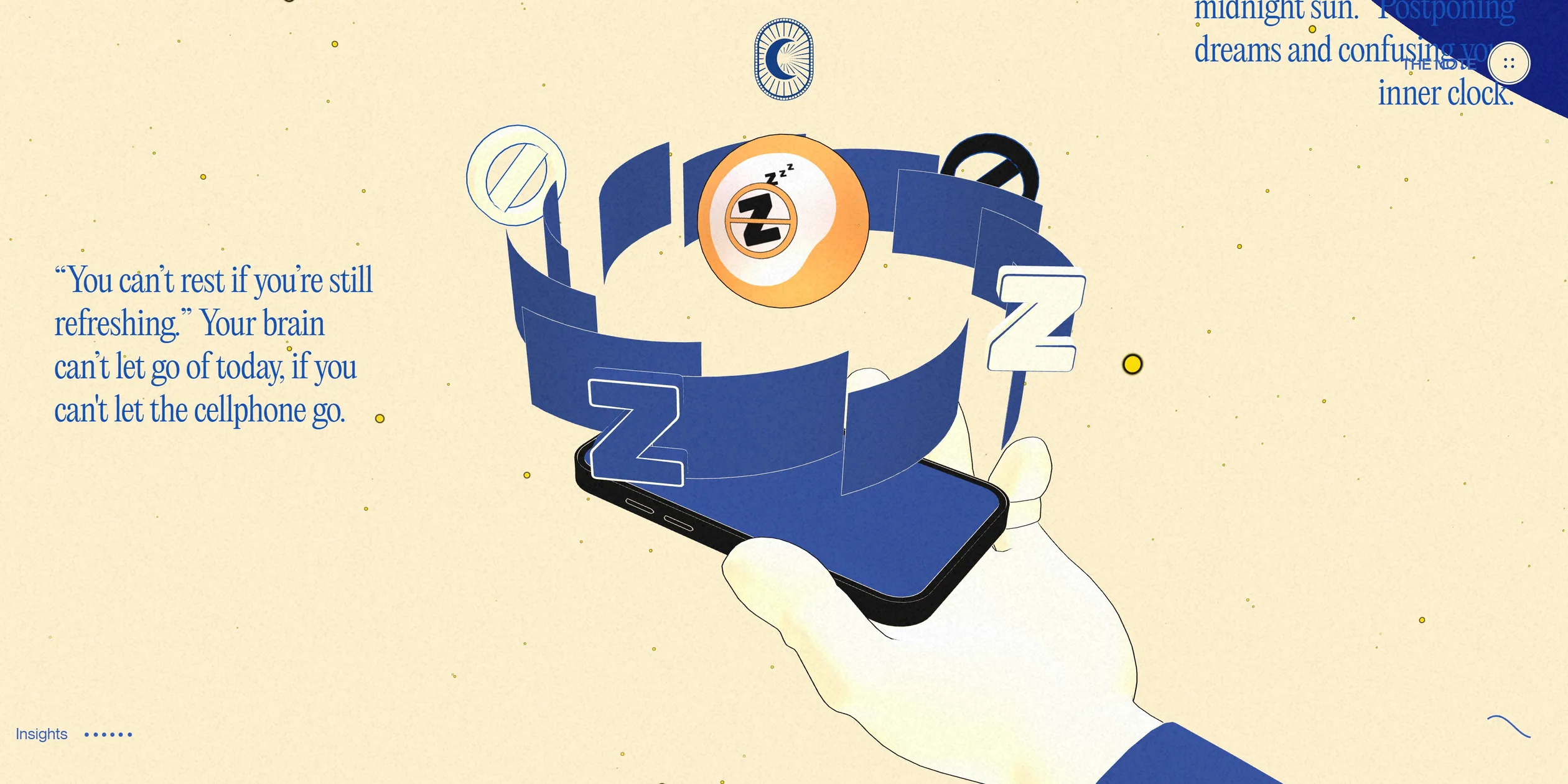
The phone sequence fits several steps into one stretch of scrolling. At the start the phone screen is enlarged to fill the whole frame, and as the visitor keeps scrolling it shrinks, moves back and turns until it becomes a phone held in a hand. Z stickers, a no-entry sign and an orange ball printed with a Z then pop out of the screen one after another, each starting slightly after the one before and easing out into place. Finally a ragged-edged ultramarine shape rises from the bottom of the screen until it fills the frame and carries the visitor into the chapter about blue light. The whole sequence follows the scroll position, so when the visitor stops, the stickers and the ball hang in mid-air, and when the visitor scrolls back, they shrink and retreat again.
The cursor affects the 3D scenes lightly and slowly. Every scene tilts gently toward the cursor and takes about three seconds to catch up, so the picture sways slowly as if floating on water. The coffee can scene adds a more direct response: whichever can the cursor sweeps over jumps up, flips a full turn in the air and drops back into the row. The site's own cursor also chases the mouse and takes about a second to catch it, and the faster the mouse moves, the longer the cursor stretches in the direction of travel.
The sound changes with the insights and the letter. The first time the visitor clicks Enter Site, a quiet background track starts to loop. When the visitor opens an insight, the track drops to 30 percent volume and slows to half speed, and a voice starts reading the sentence. The letters on screen appear along with the voice, and the last letter arrives just as the voice finishes. Less than a second later the blue layer fades out and the music returns to its normal volume and speed. Opening THE NOTE lowers the music further and also slows it by half, while a slanted edge wipes the letter and the video open over about three seconds. When the visitor switches to another tab or window, the music pauses and the tab title changes to Did you fall asleep?.
Scrolling feels different on a desktop and on a touch screen. On a desktop the page keeps gliding for more than a second after the visitor lets go of the wheel. On phones and tablets the site uses the browser's own scrolling, so the page does not glide on after the finger lifts, and the 3D scenes do not tilt toward a cursor. On a desktop, scrolling from the opening to the footer holds 60 frames per second the whole way, with at most two videos playing at once, and even the coffee can and lamp scenes, the most complex pictures, do not drop frames.
04Engineering
Sleep Well Creative is one Webflow page plus one transparent WebGL2 canvas fixed to the screen. The text, the layout and all the line diagrams are ordinary page elements built in Webflow. The canvas covers the whole screen behind the text and has a transparent background. The cream and navy of the chapters therefore serve as the backdrop of the 3D scenes. three.js uses one scene and one camera, the eight 3D scenes are groups of objects inside that one scene, and every frame is rendered once directly with no post-processing at all. In a progress post on Contra, Victor Costa wrote that the next steps were shaders, post-processing and scene interactions. The shipped version kept the shaders and the interactions but not the post-processing, and the paper grain is a page image layered over everything with a luminosity blend. The code follows a common three.js project structure, with separate modules for the window size, the clock, resource loading and the world. Adding #debug to the end of the address opens a Tweakpane debug panel that lists the position, rotation, scale and visibility toggle of every scene.
Each group of 3D objects is bound to a section of the page. The site gives each section a ScrollTrigger with scrub turned on and feeds its scroll progress straight into the progress of a paused GSAP timeline. The timeline holds the group's position, rotation and scale, and in the book scene it also holds the playback position of the skeletal animation, so opening the book is driven entirely by scrolling. Once a section leaves the screen, its group is hidden and its per-frame update is skipped. On desktop the smooth scrolling comes from Lenis with its default catch-up factor, driven by the GSAP ticker, and every Lenis scroll tells ScrollTrigger to update. The white line in the tips section starts as a set of points stored in the code, which the site joins into smooth curves and turns into a very thin tube. The tube's shader discards everything past the current progress, so the line draws itself as the visitor scrolls, and the whole group moves left at the same time to keep the tip of the line in view.
The growing effect of the opening comes from a shader injected into the standard materials. Before three.js compiles a material, the site rewrites its shader code to measure each pixel's distance in world space from the centre of the model's bounding box, divide it by half the box's diagonal and subtract a layer of smooth value noise. Any pixel whose result is greater than the current progress is discarded. As the opening progress runs from -0.8 to 0.8, the scene grows outward from the centre, and the noise makes the edge ragged. The opening, woman and lamp scenes each have two copies of their model. One is the model as it is. The other has every material swapped for a flat dark blue that ignores lighting, sits slightly further from the camera and starts growing a little earlier, so the visitor sees dark blue ink first and the real scene after it. When the growth ends, the dark blue copy is removed from the scene. In the lamp scene the second copy is cream.
The illustrated look rests on three things: outlines, flat lighting and painted textures. The outlines use the inverted hull method. Each model carries an extra, slightly larger shell from Blender with its normals pointing inward, and the site draws only the side of the shell that faces the camera, so only a thin rim shows outside the object's silhouette. The shell's material gets its colour from emission and ignores the lighting. More than a third of the meshes in the scene are such shells, and every other material is rendered double sided.
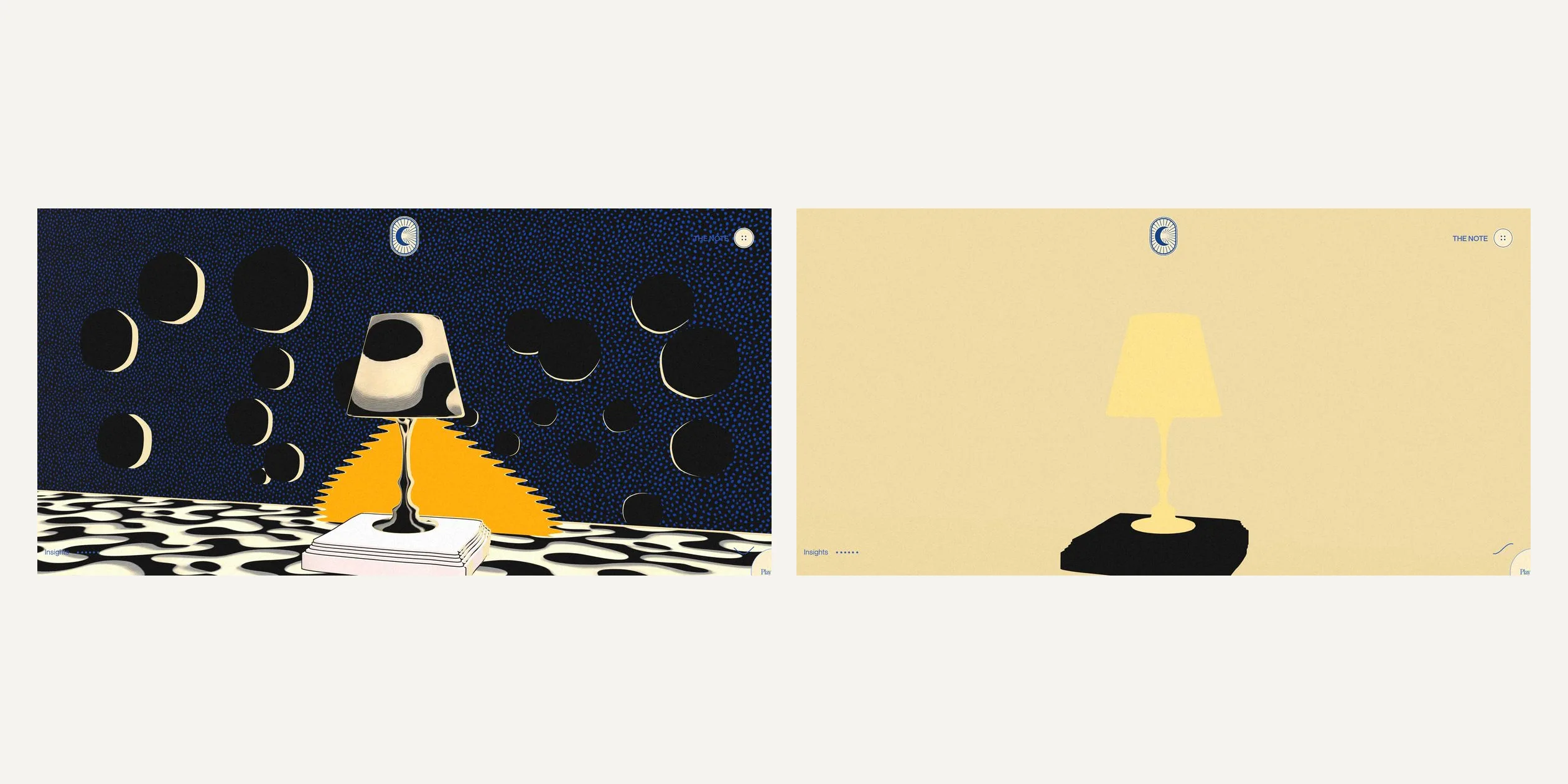
The site keeps the lighting as flat as possible and leaves the sense of depth to the textures. The scene has only an ambient light of intensity one and an environment map. That environment map is one photo of a sunny narrow street, which the site repeats on all six faces of the cube and sets to an intensity of fifteen. The renderer applies no tone mapping and no shadows, so the models receive even, bright light from every direction. The bumps and highlights on the objects are already painted into the textures, which is where the depth of every blob on the dunes comes from. The yellow light under the lamp is a flat plane whose shader uses a step function to draw a sharp jagged edge, and the developer's comment in the code says this is for an illustrated look.
The 3D assets are kept small. All twelve models are compressed with Draco and come to about 2.3 MB together, the textures are WebP and mostly no larger than 1232 by 928 pixels, and the site builds the scene only after all twelve models and the environment map have downloaded. The browser paints the loading screen in 0.7 to 0.8 seconds, and Enter Site becomes clickable between 1.7 and 2.1 seconds.
The videos, though, are far heavier than the 3D assets. By the time the visitor clicks Enter Site, the site has already downloaded about 25.5 MB, of which about 22 MB is video. The six looping videos in the tips section are 720 pixel square WebM files about five seconds long, shown on the page as small squares a little over 200 pixels wide, and the largest is about 6.9 MB. All six are fully downloaded when the page opens and downloaded again when they start playing, so a visitor who reaches the end of the site downloads about 44.6 MB in total, and video makes up about nine tenths of it. The site serves the same models, textures and videos to every device. Phones and tablets only skip Lenis and the custom cursor, and the canvas pixel ratio is capped at 2.
The cost at runtime is spread fairly evenly. The most complex picture is the coffee can scene, where all 64 cans are copies of one model. Each can is drawn separately without instancing, so the scene needs more than a hundred draws per frame, yet it still holds a steady 60 frames per second. three.js compiles each scene's materials only when that scene first appears. The page froze a few times during loading, the longest freeze lasting between half a second and 0.8 seconds, and it did not freeze again while scrolling.
The site works only for visitors who browse with a mouse or a finger and who can see the pictures and hear the sound. The six insights, THE NOTE and the sound toggle are plain elements that cannot take focus, so when a keyboard visitor presses Tab, focus lands only on the unnamed logo and the few footer links. The arrow keys, the space bar and the page keys still scroll the page normally. The page declares no language and the chapter titles are not heading elements, so a screen reader finds only three top-level headings, SLEEP, WELL and CREATIVE, and long runs of body text. The site does not read the reduced motion setting, so the growing opening, the text entrances and the smooth scrolling all play as usual.
05Scores and Team
| Award | Source | Date | Score |
|---|---|---|---|
| Site of the Day | Awwwards | 2026-01-28 | 8.03. Design 8.03 / Usability 7.80 / Creativity 8.35 / Content 8.07 |
| Developer Award | Awwwards | 2026-01-28 | 7.42 / 10 |
| No-code Honors | Awwwards | January 2026 | Honour, no separate score |
| FWA of the Day | The FWA | 2026-02-07 | 88 POINTS, DAYS 3 |
Sleep Well Creative first took third place in the Webflow and Contra community challenge in November 2025, a prize of 10,000 dollars. On 28 January 2026 it won Awwwards Site of the Day with 8.03, along with the Developer Award and the No-code Honors that Awwwards gives to sites built with no-code tools. On 7 February it won FWA of the Day with 88, and FWA filed it under animation, education and experimental.
Creativity was the highest of the four Awwwards categories, at 8.35. Drawing the 3D scenes as a picture book and hiding six spoken insights in the page may explain the high mark. Usability scored lowest at 7.80, and the length of more than fifty desktop screens and insights that open only with a mouse or a finger may have pulled it down. The developer jury gave 7.42, with Animations highest at 9.00. Accessibility was lowest at 6.40, which matches the keyboard and screen reader problems described in the engineering chapter.
| Credit | Identity | Record |
|---|---|---|
| Victor Work | The account of Victor Costa. The FWA profile introduces an internationally awarded designer and front-end developer, and the Awwwards profile describes a creative developer and designer who brings beauty, interactivity and life to the web. The Awwwards account lists Toronto, Canada, and the Contra account lists São Paulo, Brazil | Awwwards works 17, SOTM 1, SOTD 17, HM 17. FWA 7 |
The records in the table are cumulative as of 25 October 2026. The letter inside the site credits Victor Work with design, development and 3D assets, so the layout, motion, 3D models and code of this site all come from one person. On Contra, Victor Costa is listed as a creative designer, developer and technology educator, and also runs VW Lab, the teaching brand mentioned above. VW Lab's web motion course lasts six weeks and runs from concept and design in Figma through making assets in Blender and building pages in Webflow to custom code with GSAP, shaders and WebGL, and Webflow, GSAP, shaders and WebGL are all technologies this site uses. The seven FWA of the Day wins began in 2020, the Awwwards Site of the Day wins now number seventeen, and this site is the latest.
06Archive
- Award date
- 2026-02-07
- Awards
- Awwwards SOTD 2026-01-28, Awwwards DEV 2026-01-28, The FWA FOTD 2026-02-07
- Site
- https://sleep-well-creatives.com/
- Credits
- Victor Work
- Design
- cinematic
- Build
- scroll
- Awwwards
- 8.03 / 10. Design 8.03 / Usability 7.80 / Creativity 8.35 / Content 8.07. Developer Award 7.42. https://www.awwwards.com/sites/sleep-well-creative
- The FWA
- 88 POINTS, DAYS 3. https://thefwa.com/cases/sleep-well-creative
- Stack
- Webflow, three.js r180, GSAP 3.13 (ScrollTrigger, SplitText, DrawSVG), Lenis 1.3.13, Draco, Tweakpane, hls.js, Bunny Stream, PP Editorial New, Neue Montreal
- Total assets
- About 44.6 MB for the whole site, of which about 40.9 MB is video, the largest file being a tip video of about 6.9 MB. About 25.5 MB before Enter Site is clicked, and the twelve 3D models come to about 2.3 MB
- Speed
- FCP 676 to 788 ms, Enter Site clickable at about 1.7 to 2.1 s, CLS 0.014. Continuous scroll 60 fps